





TradingView Bot
TradingView Bot connects your alerts to your exchange. When your strategy fires, the order executes automatically, instantly, and exactly as your strategy intended. No mandatory manual entry and no missed signals.
Just point your TradingView alert at the bot's webhook URL, paste the generated JSON into the alert message, and activate.

TradingView-Exclusive Webhook JSON Generator
Every bot gets its own webhook URL. When your alert fires, it sends a JSON payload to that URL and the bot executes on your connected exchange immediately; no manual order entry, no platform switching, no delay. The payload is built from TradingView's own variables. Action, contract count, symbol, and position state all resolve from your Pine Script at the moment the alert fires.
Action
Core{{strategy.order.action}}Resolves to buy or sell at execution time.
Contracts
Core{{strategy.order.contracts}}Carries the exact contract count that your Pine Script calculated.
Symbol & Exchange
Optional{{exchange}}{{ticker}}Pull the symbol and exchange from TradingView's own chart context.
Position State Sync
Real-Time Sync{{strategy.market_position}}Current{{strategy.market_position_size}}Current{{strategy.prev_market_position}}Previous{{strategy.prev_market_position_size}}PreviousReal-time sync. These four position-state variables give the bot a complete picture of what the strategy was doing before and after each signal. When present in the payload, they override the static "amount" parameter and let the bot mirror your strategy's exact position state on the exchange.
Nothing is hardcoded. Nothing is estimated. Your strategy's own output is the order.
Full Signal Customization
The JSON Generator pre-fills the standard fields using TradingView's native placeholders, but every parameter is editable. You can replace any placeholder with a hardcoded value, mix static and dynamic fields in the same payload, or override bot-level defaults like order type, leverage, and margin type on a per-signal basis.
Action Control
Enter or exit long or short
Symbol & Quote Currency
Symbol and quote currency
Position Sizing
In base or quote currency
Margin & Leverage
Margin type and leverage overrides per signal
Sequential Logic
Pre-Condition, Pre-Action, and Post-Action fields
Those cover a single fill. When you need the system to place and manage many orders as one position; averaging, gridding, timing, or scaling; that's an execution strategy.
Advanced Order ExecutionAdvanced Order Execution
Every order on every bot can run as more than a single fill. Choose how it gets executed; each option below builds and manages the position for you as it fills.
DCA
Enters with a base order, then adds averaging orders as price moves against you. Take-profit recalculates from your new average entry on every fill.
TWAP
Splits a large order into equal parts, executed at fixed intervals. Reduces market impact and smooths your average entry price.
Grid
Places buy and sell orders at set intervals across a price range, profiting from price oscillation without a directional call.
Scale
Splits entry or exit across a price range instead of one price point, improving your average fill on larger positions.
Built-In Risk Controls
Every trade that comes through TradingView Bot can be protected automatically, even if your Pine alert doesn't explicitly include exit instructions.
Your Full Toolkit. Free to Start
Your free trial opens up everything; Signal Bot, TradingView Bot, Terminal, and Copy Trading.
Start today and give yourself a real chance to see what it can do.
Signal Validation & Security
Every incoming alert is verified before any trade is placed. TradingView Bot uses multiple layers of protection to ensure only authorized, valid, and timely signals ever reach your exchange.
Every bot has its own unique Bot ID and Secret Key. Both must be present in every incoming payload. Requests that don't carry a matching credential pair are rejected instantly, before any execution takes place.
Treat your webhook URL, Bot ID, and Secret Key like a password.
Alerts that arrive after the allowed delay are discarded automatically. This prevents old or delayed TradingView alerts from placing trades at the wrong price.
TradingView can occasionally fire the same alert more than once. TradingView Bot handles this with two built-in filters:
One Strategy, Multiple Accounts
TradingView Bot places no caps on how many exchange accounts you connect to a bot, or how many bots you attach to a single account. Run unlimited strategies across unlimited accounts, all triggered from TradingView alerts.
Simultaneous Multi-Account Execution
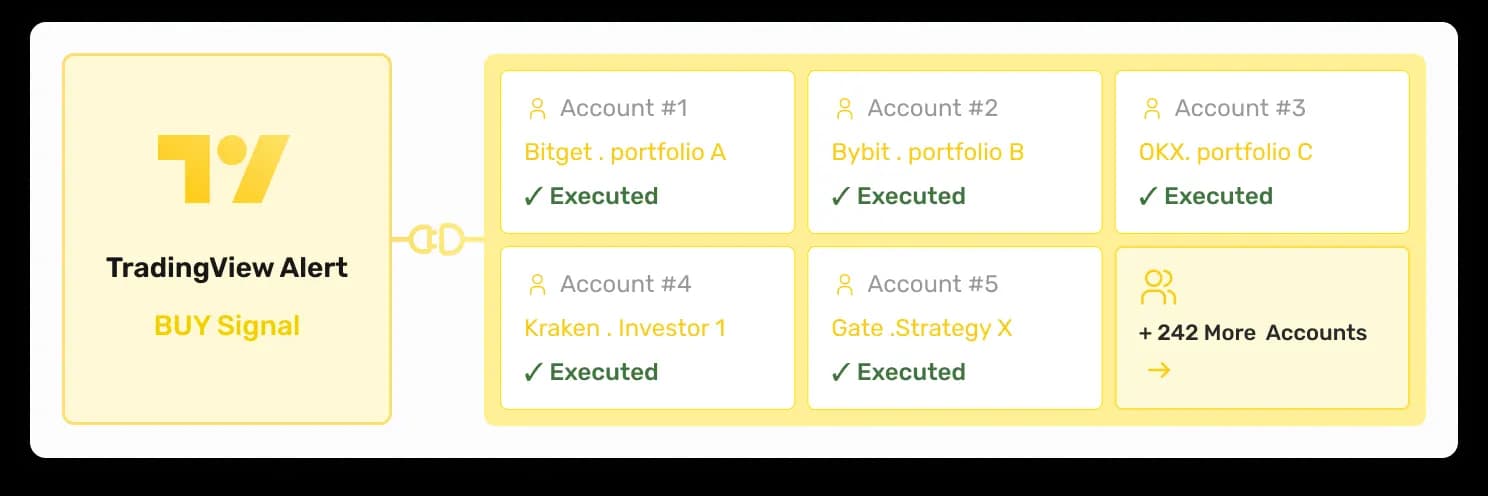
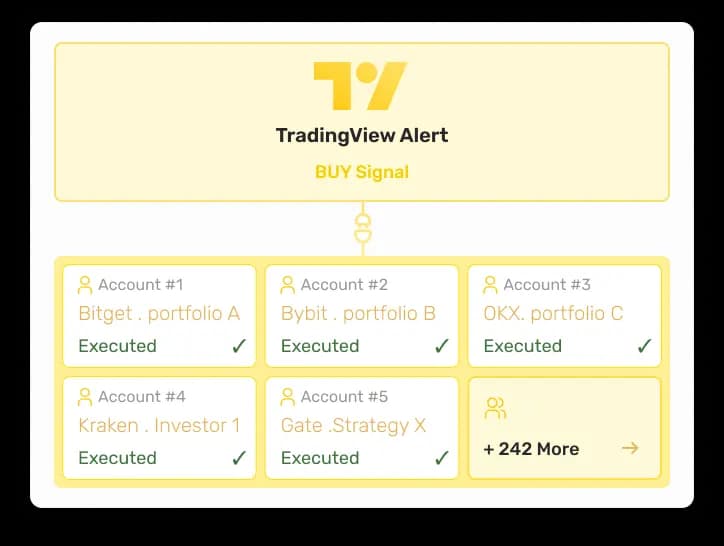
When your TradingView alert fires, the bot executes across every connected account at the same time. No sequential delays, no duplicate alerts needed. One Pine strategy drives every account simultaneously.
Per-Account Size Multipliers & Risk Rules
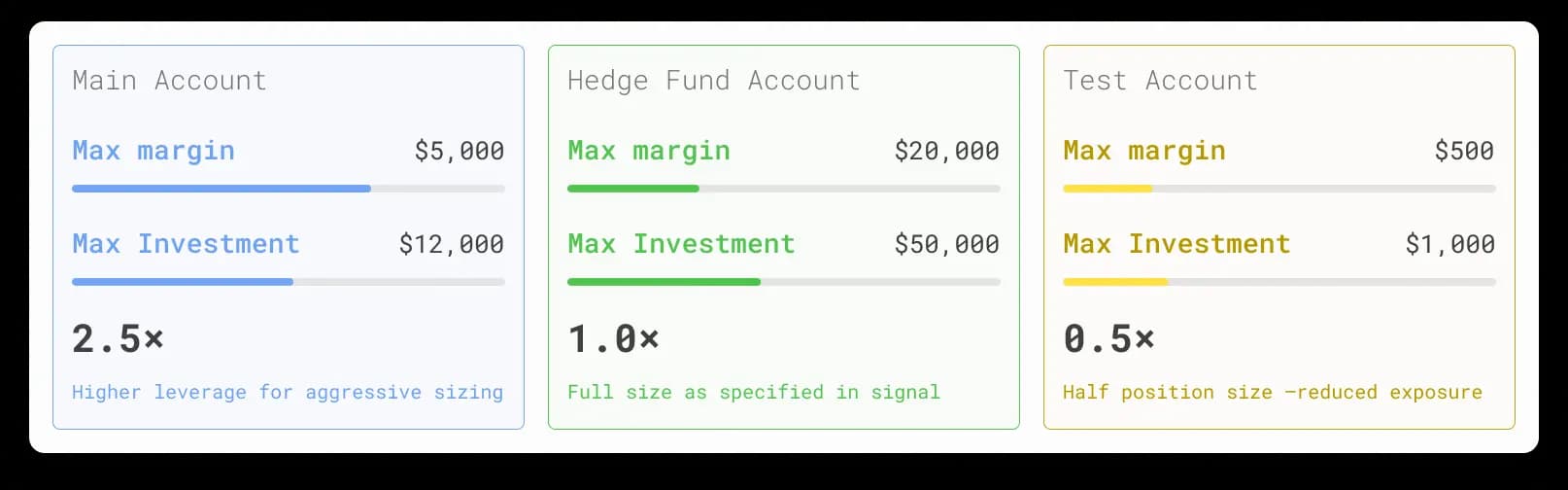
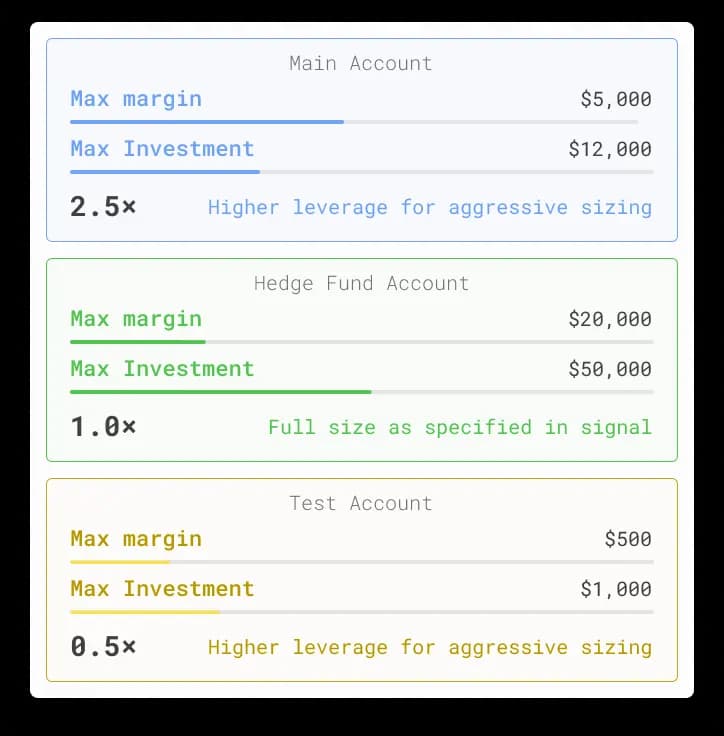
Each connected account has its own Size Multiplier. Same alert, different exposure per account, one account runs full size, another at half, another scaled up. No extra configuration, no separate alert templates. Also, each connected account can have its own Max Margin or Max Investment ceiling, giving you independent exposure control across every account running the same strategy.
Brand It. Sell It. Scale it
Offer your own trading strategies and bots to clients under your brand with our White Label solution.
Get Started in Minutes
From your TradingView strategy to live exchange execution in five steps.
Step 1 of 5
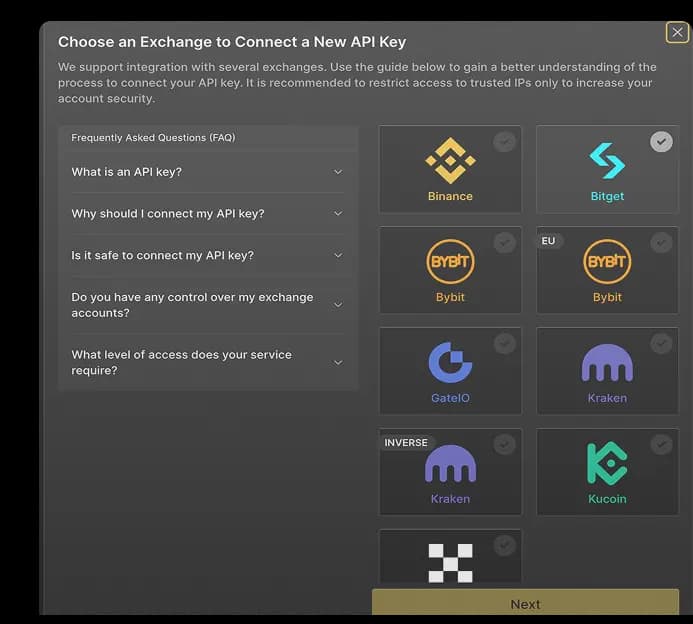
Add Your Exchange Account(s)Go to My Exchanges and connect your exchange using an API key and secret. To be able to use any of Finestel's services (including TradingView bot), you need to add at least one exchange account or one sub-account to Finestel.