
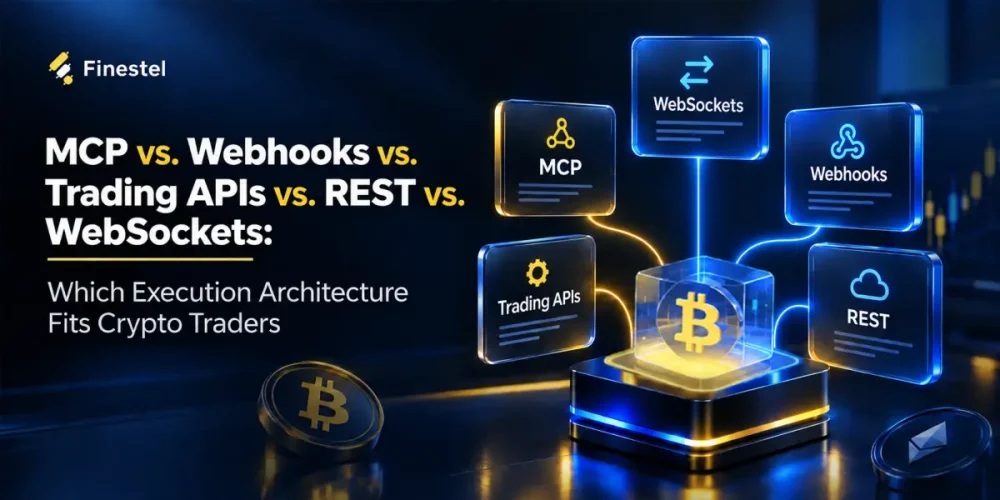

The comparison of MCP, webhooks, trading APIs, REST, and WebSockets shows they aren’t competing options. They’re layers that work together to turn a trading signal or an AI instruction into a live trade. To pick the right combination, ask two questions: where does the signal come from, and what needs to happen next?
A quick recap:
- MCP is an open standard that lets AI assistants connect to external tools and data, such as a trading platform.
- A webhook is a URL that receives data automatically when an event happens (push).
- A trading API is the interface an exchange or broker provides so software can place orders, check balances, and read market data. It’s usually delivered over REST and WebSockets.
- REST is a request–response style where your software sends a request and gets a reply (pull).
- WebSocket is a protocol that keeps a connection open, so the exchange can stream live prices and order updates to you the moment they happen (real-time, two-way).
For a better understanding, imagine this: a TradingView alert can reach a trading bot through a webhook, and the bot can place an order through an exchange’s REST-based trading API. If an AI assistant is involved, MCP can give it access to trading tools that use that API.
MCP, Webhooks, Trading APIs, REST, and WebSockets Differences
To better grasp the difference between MCP, webhooks, trading APIs, REST, and WebSockets, the table below provides a quick comparison:
| Who starts it | Best for | Crypto trading example | |
| MCP | The AI assistant, when you ask | Managing trades in plain language | Asking an AI assistant for your BTC/USDT position’s unrealized profit |
| Webhooks | The signal source (push) | Receiving trading signals | A TradingView alert triggering a TradingView Bot |
| Trading API | Your software | Giving software access to an exchange | A Trading Terminal placing one order on several accounts simultaneously through each account’s API connection |
| REST | Your software (pull) | One-off actions | Checking your USDT balance, then placing an order |
| WebSocket | The exchange pushes updates after you connect | Live prices and order updates | Streaming BTC/USDT trades and receiving fill updates instantly |
In short: webhooks and MCP start the action, the trading API carries it to the exchange, and REST and WebSockets are the two ways that API communicates.
MCP: Connecting AI Assistants to Trading Tools
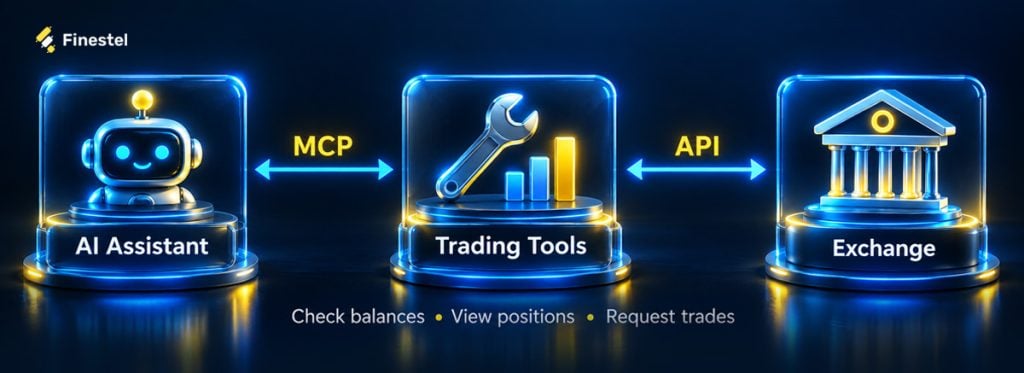
Using MCP, short for Model Context Protocol, you can connect your AI assistant to trading tools to check balances, view positions, or request trades through an exchange’s API.
For example, imagine you have an AI assistant such as ChatGPT or Claude that is connected to your exchange through an MCP server. In the chat, you ask it to check the profit on your BTC/USDT long position. That assistant uses an available trading tool to get the position data and report your unrealized profit.
You then ask it to close the position when ROE reaches 50%. If the connected tools support this, the assistant can set up a conditional order or an automated monitoring rule through the MCP server. Then, the exchange handles the conditional order, or the monitoring service submits a closing order when the target is reached.
Webhooks: Receiving Trading Signals When Events Happen
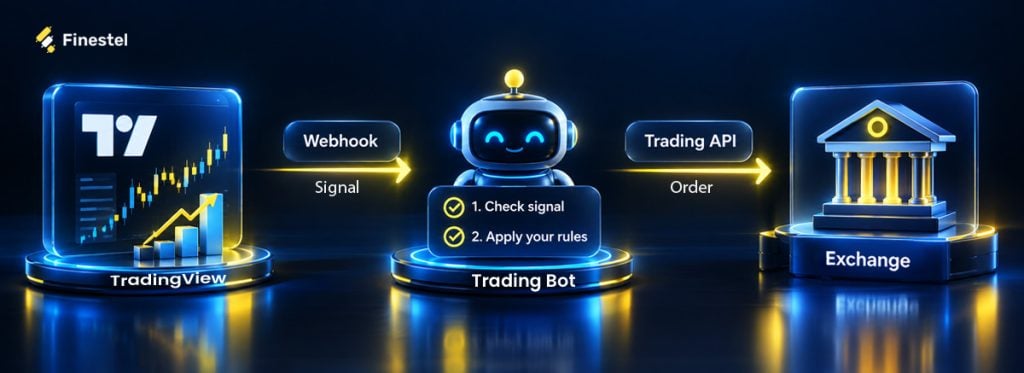
Webhooks let external sources, such as TradingView, send signals to a trading bot the moment an event happens. The trading bot then checks the signal, applies your trading rules, and sends an order to the exchange through its trading API.
For example, imagine you want to connect TradingView alerts to a trading bot. With Finestel’s TradingView Bot, you connect your exchange account, create a bot, and copy its webhook URL into your TradingView alert.
The alert message carries the trade details as JSON. Finestel’s payload generator builds this message for you using TradingView variables such as {{ticker}} and {{strategy.order.action}}, so the same alert works whether your strategy buys or sells. Order type, stop loss, and position size can be set in the bot’s settings instead.
When the alert triggers, TradingView sends the message to the bot, which validates it and places the order through the exchange’s API. If the bot is linked to several accounts, the same order is placed on each of them at once, sized by each account’s own settings.
You can see an example of a webhook and a JSON payload in the image below:
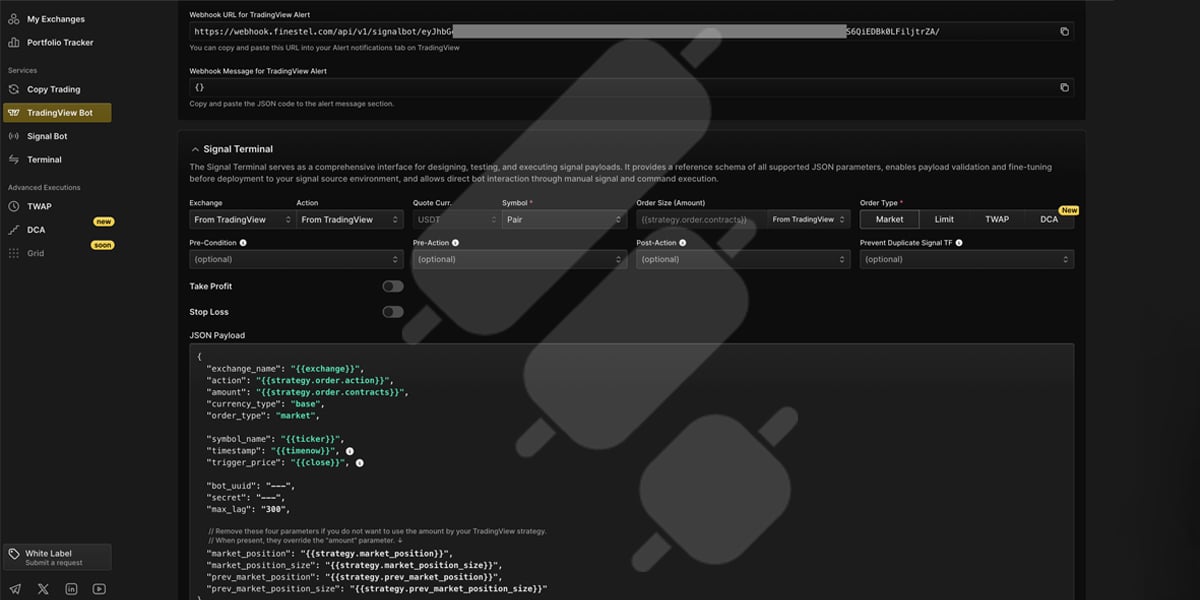
Finestel’s TradingView bot webhook and JSON payload
Trading APIs: Accessing Orders, Accounts, and Market Data
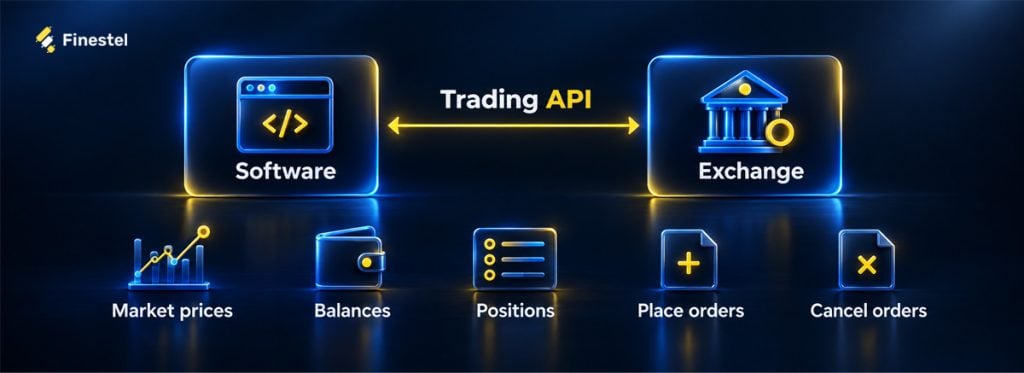
Through a crypto trading API, software can read market prices, check balances, view positions, and place or cancel orders on an exchange.
For example, when you add your exchange accounts to Finestel’s Trading Terminal, each account gets its own API connection. That is what lets the terminal do something exchange interfaces aren’t built for: place one manual order on several accounts at the same time, instead of logging in to each account and repeating it.
Trading APIs also enable automated order submission. Finestel’s Signal Bot, for example, accepts webhook signals from any source, such as a Python script, Zapier, Make, n8n, or your own signal service. When a signal arrives, it sends the trading pair, order type, and size to the exchange of each linked account. Each order gets its own response from the exchange, so the bot can report which orders were filled and which were rejected.
REST vs. WebSockets: How Trading APIs Communicate
Behind the scenes, the API calls travel over two channels: REST for requests like placing an order, and WebSockets for live updates. Most exchanges, including Binance, Bybit, and OKX, offer their trading API over REST, with WebSockets alongside for live data.
Here’s how each works:
REST: One Request, One Response
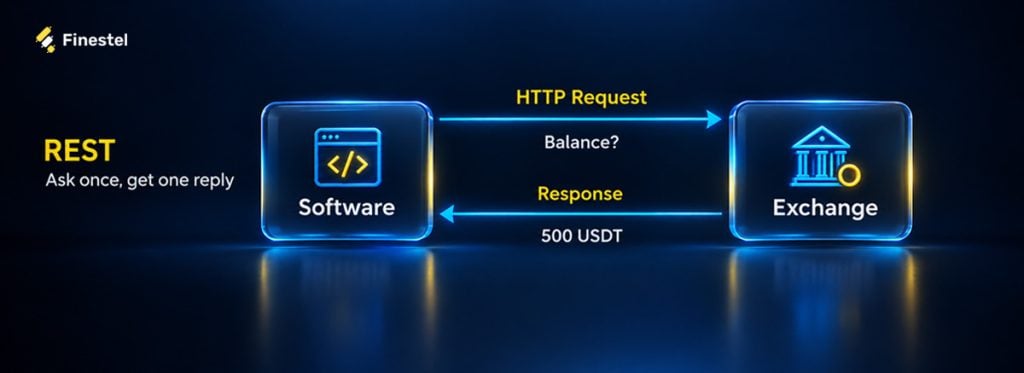
REST is a common architectural style for trading APIs, but they describe different things:
- A trading API is like a menu (what you can do).
- REST is how you order (one request, one reply).
In a REST workflow, your software (like a terminal, a trading bot, a script, or a dashboard) sends an HTTP request to a specific endpoint, and the server returns a response. In trading, this could mean requesting your account balance or submitting an order.
For example, before placing a BTC/USDT buy order, a bot might request your available USDT balance. The exchange returns the balance, and the bot uses that information to check whether you have enough funds. If you do, it sends a second request to place the order, and the exchange responds with an order ID and status, such as “filled” or “rejected.”
REST works well for actions like these, but it has one limit: the exchange only answers when asked. To follow a live price with REST, your software would have to keep asking again and again, and exchanges limit how many requests you can send. That’s where WebSockets come in.
WebSocket: Streaming Live Data
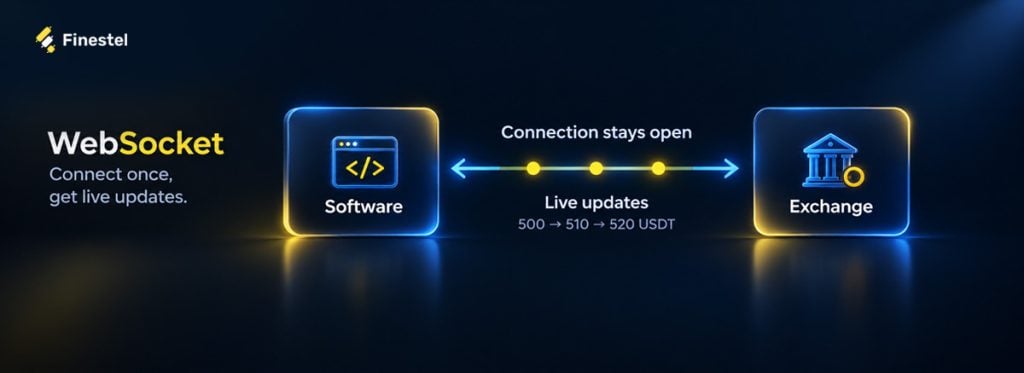
WebSocket is a communication protocol that keeps a connection open between your software and the exchange. With REST, your software has to ask each time it wants new data. With a WebSocket, you connect once, and the exchange sends updates the moment something changes. Data can flow in both directions over the same connection.
For example, a bot tracking BTC/USDT opens one WebSocket connection and receives every new trade price as it happens. When the price reaches the bot’s entry level, it sends the order through the REST API and then follows the fill through the WebSocket connection. In practice, most trading setups use both: REST to act, and WebSockets to watch.
Which Combination Fits Your Trading Workflow
In the table below, I’ve listed a few examples that you can use for your crypto trading workflow:
| Your goal | Combination | How it works |
| Execute TradingView signals | Webhooks + trading API | Webhooks deliver alerts to a bot, which submits orders through the exchange’s trading API. |
| Build a custom trading bot | Trading API (REST + WebSockets) | REST handles individual requests, such as checking balances or placing orders. WebSockets stream live prices and order updates. |
| React to live price movements | WebSockets + REST | WebSockets deliver every price change as it happens, and REST places the order when your conditions are met. |
| Connect an AI assistant | MCP + trading API | MCP gives the assistant access to trading tools, which communicate with the exchange’s trading API. |
| Manage multiple accounts | Execution platform + trading APIs | A platform such as Finestel receives signals or manual orders and executes them simultaneously through each account’s API connection. |
Security and Reliability: What Matters Before Going Live
Before connecting your workflow to a live account, check how it controls access, handles errors, and confirms order execution.
- Limit permissions: Give API keys only the access your tools need. Disable withdrawals for trading bots and keep credentials out of alert messages.
- Validate incoming signals: Use the authentication methods your platform supports, check message contents, and reject outdated or duplicate signals.
- Set trading limits: Define maximum order sizes, exposure limits, and permitted trading pairs. Apply these checks to AI-generated instructions too.
- Test the full workflow: Use paper trading if possible, and test rejected orders, lost connections, and repeated alerts as well as successful trades.
- Restrict API keys by IP: Most exchanges let you limit an API key to specific IP addresses. If you use a third-party platform, add the IP addresses it provides, so a leaked key can’t be used from anywhere else.
- Use unique order IDs (Idempotency): Attach a unique client order ID to each order, so the exchange rejects a duplicate order if the same request is sent twice after a retry or a repeated alert.
Final Thoughts
Webhooks deliver signals, MCP connects AI assistants to trading tools, and the trading API gives access to the exchange, with REST handling actions and WebSockets streaming live updates. The right combination depends on where your signals come from and how many accounts they need to reach.
Finestel is built for the second part: multi-account, multi-exchange, simultaneous order execution. You connect your exchange accounts through API keys and keep your funds on the exchange, because Finestel is non-custodial. From there, the Signal Bot and TradingView Bot turn webhook signals into orders on every linked account at once, and the Trading Terminal lets you place the same manual order on multiple accounts simultaneously across 10+ crypto exchanges. Start with one account, or scale to hundreds.
FAQs
Can MCP replace a trading API?
No. MCP gives AI assistants a standard way to access trading tools. Those tools still need an exchange’s or broker’s trading API to retrieve account data and submit orders.
Do TradingView webhooks execute trades directly?
No. TradingView webhooks send alert messages to an external service, such as a trading bot. That service processes the signal and submits an order through the exchange’s trading API.
Is a REST API the same as a trading API?
No. A trading API provides trading capabilities, such as placing orders and checking balances. REST is an architectural style for designing APIs. A trading API can use REST, but not all REST APIs are built for trading.
Do I need WebSockets if I already use REST?
It depends on your strategy. REST is enough for actions you take occasionally, such as checking your balance or placing an order. If your strategy reacts to live prices or needs instant order updates, WebSockets deliver that data as it happens, without repeated requests or hitting rate limits. Most trading bots use both.


Leave a Reply