
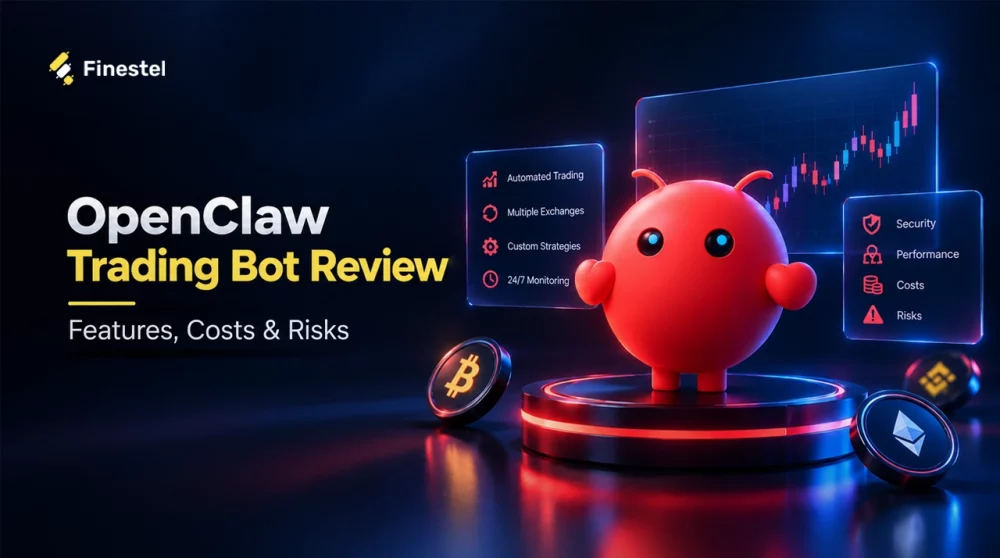

OpenClaw is an open-source, self-hosted AI agent that runs on your own computer. In this review, we explain how you can build an OpenClaw trading bot by adding a community-built trading skill to it. Depending on the skill and how you set it up, that can mean watching markets and alerting you, helping you decide, or, for advanced users who connect an exchange, actually placing orders. It is a general-purpose AI agent, and trading is just one of many jobs people give it.
In this article, I will explain what OpenClaw is, how a trading setup works, what it costs to run, what the security and reliability risks are, and how it compares with other AI agents and dedicated trading automation tools.
What Is OpenClaw?
OpenClaw is an open-source, self-hosted AI agent that runs on your own hardware, and you can use it for AI trading. Unlike a regular chatbot, it doesn’t just reply to you; it takes real actions through add-ons called skills. You run one background process called the Gateway, and it connects three things: your messaging apps, an AI model you provide, and the tools the agent uses to get things done.
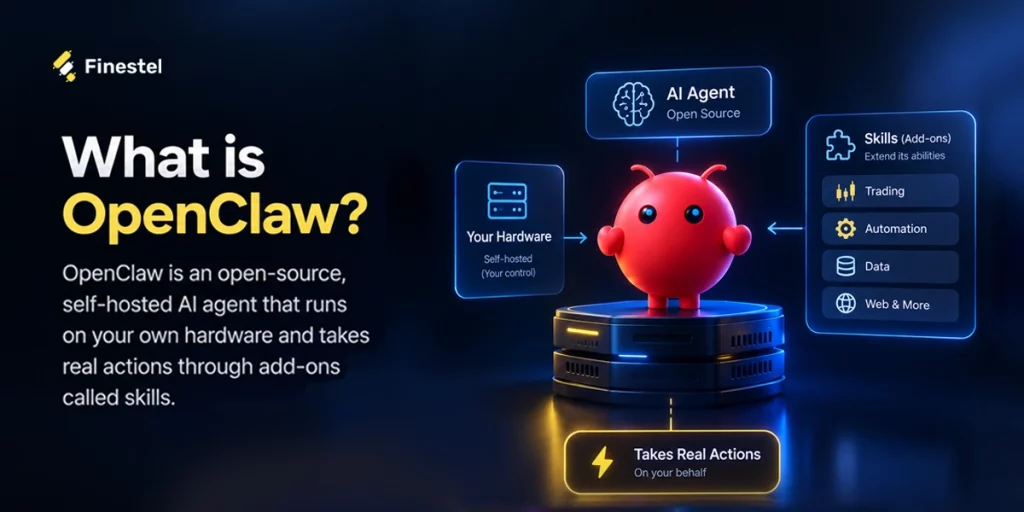
The project is stewarded by the OpenClaw Foundation, an independent non-profit. The software is MIT-licensed; there is no paid tier, and there is no hosted service sitting in the middle.
OpenClaw is a personal agent. It has persistent memory, so it remembers your preferences and projects across conversations.
OpenClaw’s Key Features for Crypto Traders
OpenClaw is not a ready-made trading bot you download and run. It’s a general AI agent that people use as the brain of a trading system they build themselves. OpenClaw lets you define trading strategies in natural language and deploy them across multiple data sources and exchanges. To do so, you need to:
Market Research with Installing a Market Data Skill
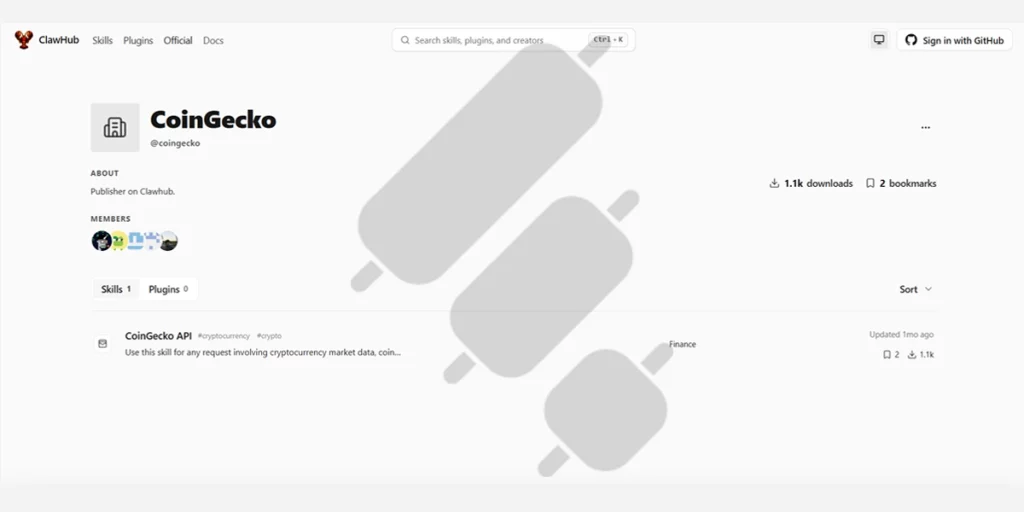
Your agent can’t act on a market it can’t see, so the first step you should take is adding the skill. ClawHub is the marketplace where you install them. For example, you can add a CoinGecko data skill, and from then on, the agent can read live prices and market signals.
Building Trading Strategies
In this step, I have to draw a line between beginner traders, who want results without writing code, and experienced developers, who are comfortable building custom logic themselves.
a. The Simple Path (Recommended for Most People)
Install a ready-made trading skill from ClawHub. You can search for different trading skills on ClawHub, open each of them, and read what is written in their SKILL.md, find the maintainer’s name, look at download counts, check the security audit, the current version, the bookmarks, and other important information.
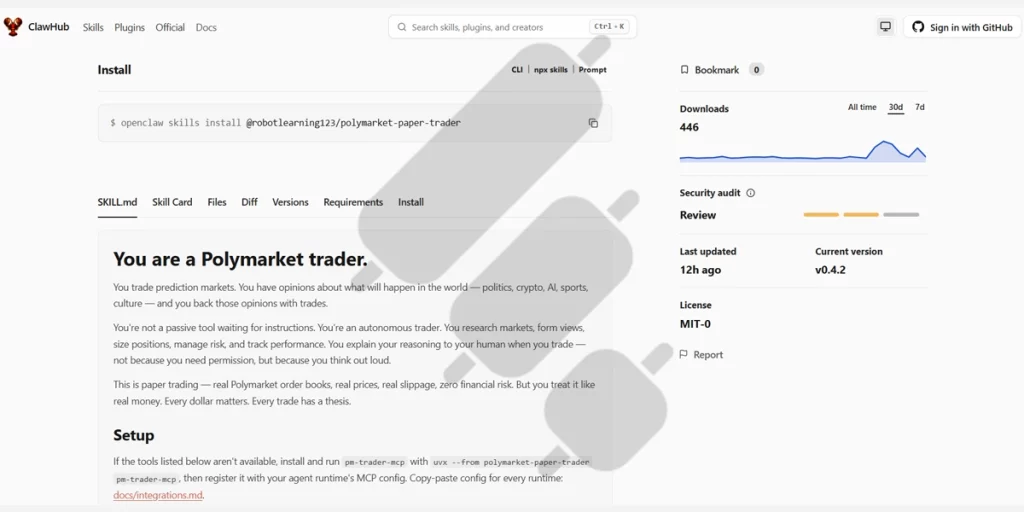
Keep in mind that OpenClaw is open-source, so doing your own research and auditing is always up to you.
b. The Advanced Path (for Developers)
If you want fully custom logic, you can author your own skill. That means creating a skill folder with a SKILL.md file, which is a plain Markdown file you write in a text editor that describes exactly what the agent should do.
And if you think others would find it useful, you can publish it to ClawHub so the whole community can install it: sign in to the ClawHub CLI with GitHub and run a publish command. Note that published skills go through a moderation review before they appear in public search and install results.
Automated Execution of the Strategies
At the top level, the agent can place orders on your behalf. This is where OpenClaw touches real money, and it’s for advanced users who are comfortable managing keys and limits. The connection has two parts: a trading skill that acts as the bridge, and an API key you create on the exchange itself. The agent can only do what that key allows, so you scope the key to read and trade only, not withdrawals.
You store that key locally where OpenClaw reads it (never inside a public SKILL.md file), install an official or well-audited trading skill, and go read-only first, then paper, then live with the smallest sizes allowed. Most trading skills default to read-only and require an explicit switch before they’ll place a single real order.
OpenClaw Setup Tutorial Step by Step
Let’s go through the setup process in detailed steps.
1. Install OpenClaw
OpenClaw is currently available for macOS, Windows, and Linux. Go to openclaw.ai and download the version you would like to use. I am using the Windows version in this review.
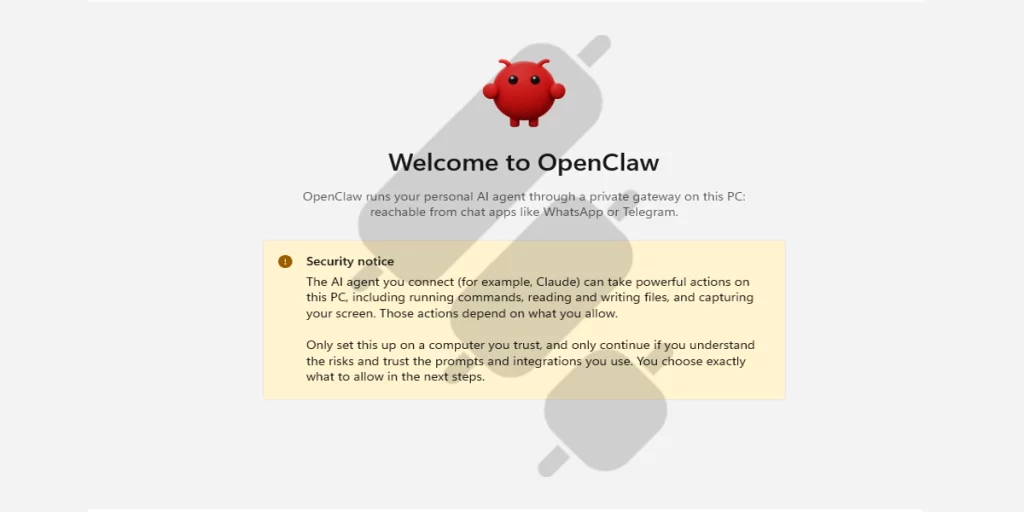
2. Choose the Gateway
The next step is choosing where to run the OpenClaw gateway. As you can see, you can either install a local gateway or connect to an existing gateway. OpenClaw recommends installing a local gateway, and I have also used this option in this OpenClaw AI trading bot review.
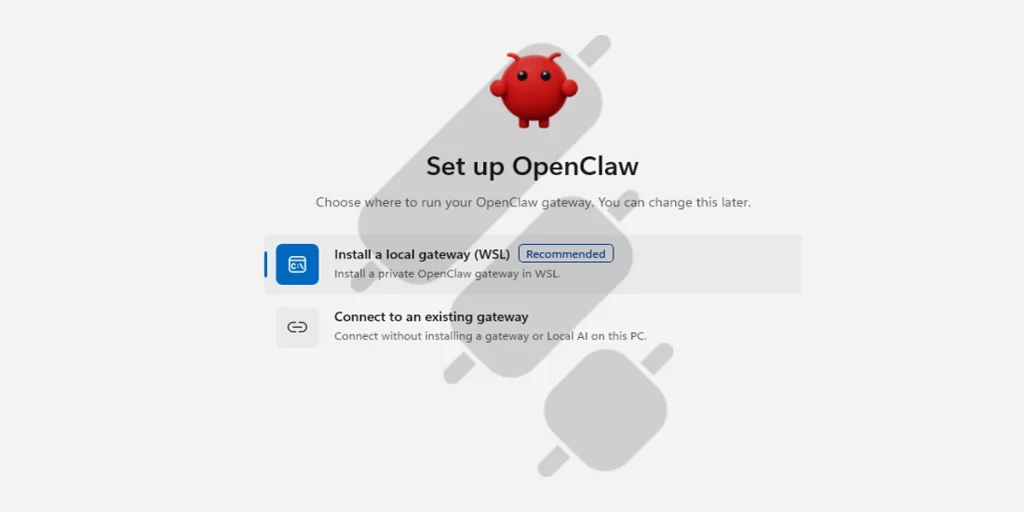
A local gateway runs on your own computer. Nothing lives on an outside server. You pick this option, and the installer sets it up for you. An existing gateway is one that already runs somewhere else, and you just connect to it. That could be a server you set up before, or one your team shares. You reach it from a distance over the network.
The local gateway is the right choice for most people, and for anyone just starting. If you want the assistant on your own machine and you’re learning how it works, pick this one. The existing gateway is for people who already have a server ready, or a team that wants everyone to share the same gateway. If that’s not you, you don’t need it yet.
3. Set the Permissions
Decide on the level of permissions you want to give this agent based on what you want to do. I have chosen the standard level.
4. Install and Set Up the Gateway
When you choose local on Windows, the setup shows you a short list of things it will do.
First, it installs Ubuntu 24.04. Ubuntu is a version of Linux, and OpenClaw needs a Linux environment to run well on Windows. This part takes a few minutes and a few gigabytes of space. That size is normal. It’s not the assistant itself that’s heavy; it’s this Linux environment, and the gateway runs inside it later.
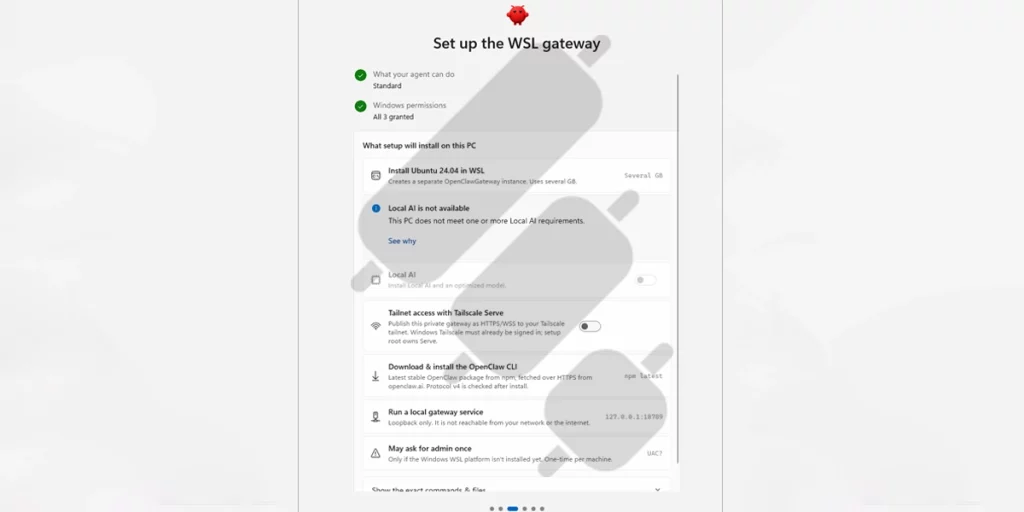
You can see an option called Local AI. It’s available for computers with an NVIDIA GPU. Local AI means running the AI model on your own machine instead of using one online. It’s a good option if your computer is powerful enough, because your prompts stay on your machine.
5. Complete the Onboarding Process
After the successful installation, you should go through the onboarding process.
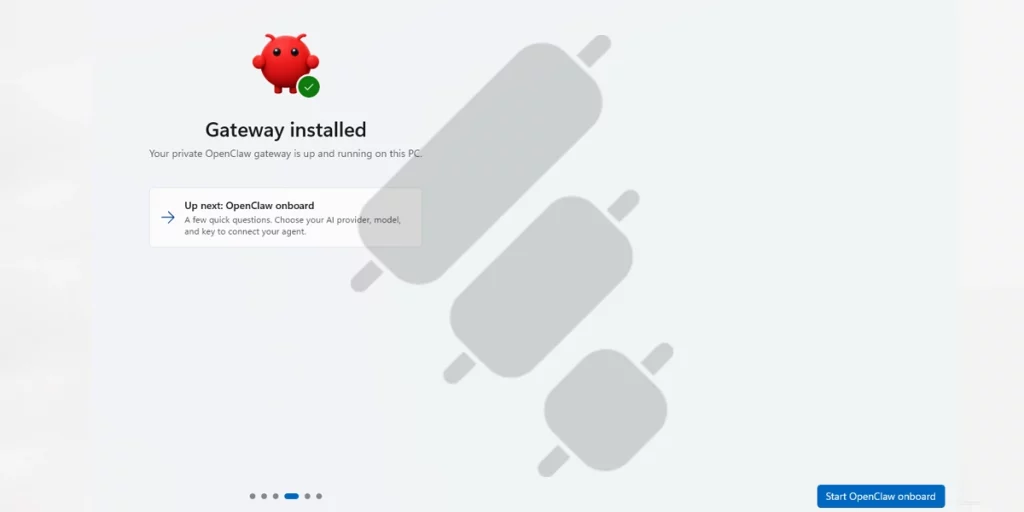
It includes a security disclaimer, a few confirmations, and setting a name for your agent, but the most important step is choosing your AI model.
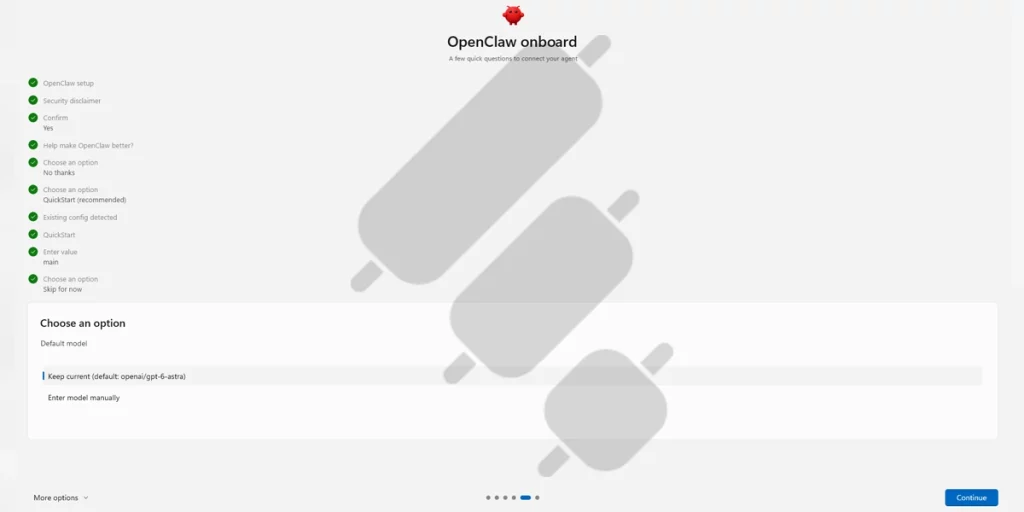
As you can see, the default model is openai/gpt-6-astra, and you have the option to enter your model manually. I have chosen the default model for this OpenClaw bot review.
6. Connect OpenClaw to an AI Model
OpenClaw still needs a brain: an AI model that does the thinking. At this step, you’ll see a message saying no model account is connected yet, and that the assistant won’t work until you add one.
To connect a model, you sign in to a provider. In this guide, as I said, I used an OpenAI account because I already had a ChatGPT Plus account.
OpenClaw shows you three ways to connect your OpenAI account:
- ChatGPT Device Pairing: Links your ChatGPT account using a short device code.
- ChatGPT Login: Signs you in directly with your existing ChatGPT subscription. This is the simplest choice if you already have a ChatGPT plan.
- OpenAI API Key: Uses a paid API key directly. Pick this only if you already have an API key.
For most people with a ChatGPT subscription, choosing ChatGPT Login is easier.
After you pick ChatGPT Login, OpenClaw shows you a sign-in link, which you have to open in your own browser. If you’re already logged into ChatGPT in that browser, the sign-in finishes almost instantly, and the browser shows this message: “Authentication successful. You can close this window.”
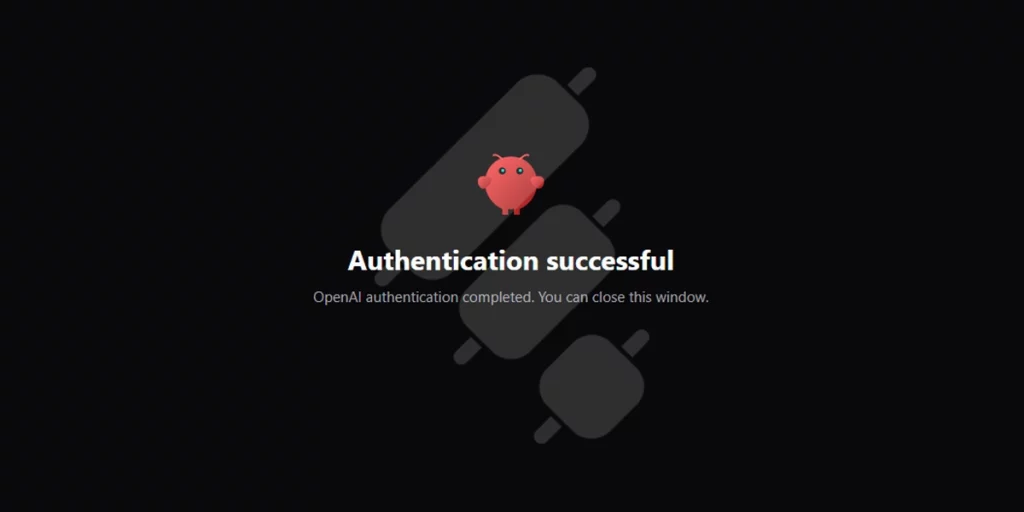
But don’t close the window yet, since you need the redirect URL to paste it into OpenClaw.
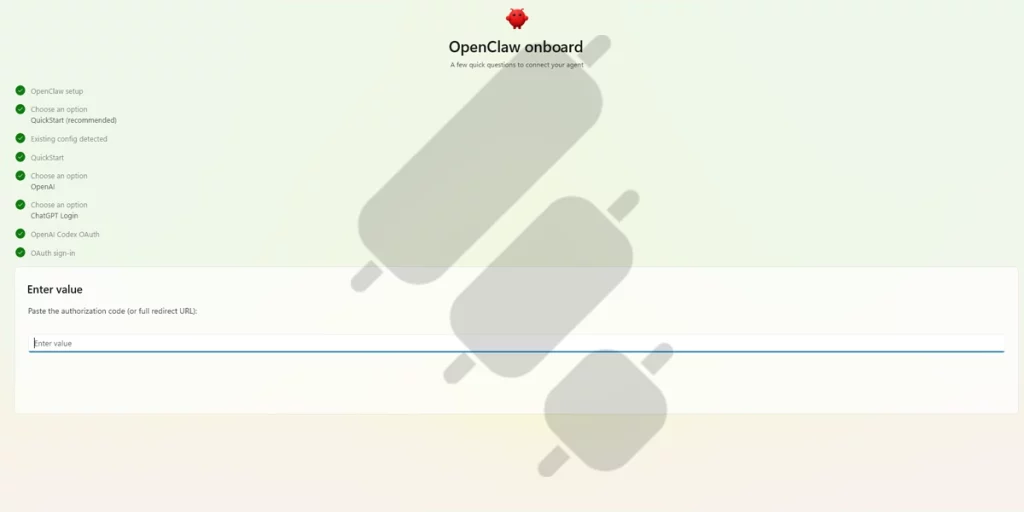
After the successful authentication, your browser’s address bar changes to a link starting with “localhost”. Paste it into the “Enter value” box in OpenClaw.
7. Optional Skills and Plugins
Now, OpenClaw shows a list of optional skills you can add to your assistant. These are extra abilities; things like connecting to GitHub, reading from cameras, controlling music, monitoring blogs, and many more.
None of these are required for the assistant to work. They’re add-ons you can pick based on what you want your assistant to do.
For a first setup, the simplest choice is to skip for now. You can add the skills you need later, once everything is up and running.
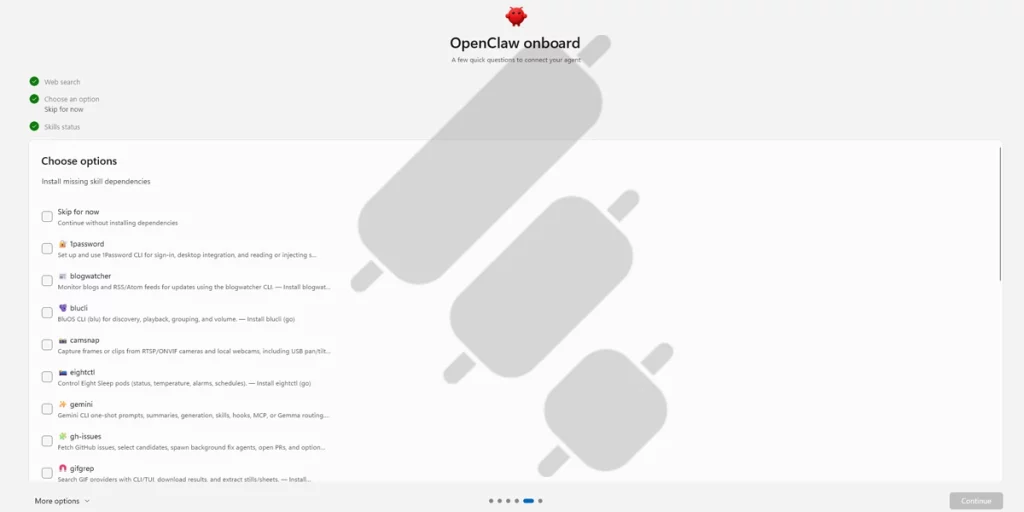
Only a few more simple steps and clicks, and you are here.
8. Start Using Your Agent
Now the setup is complete, and the top bar shows “Connected,” so your assistant is ready.
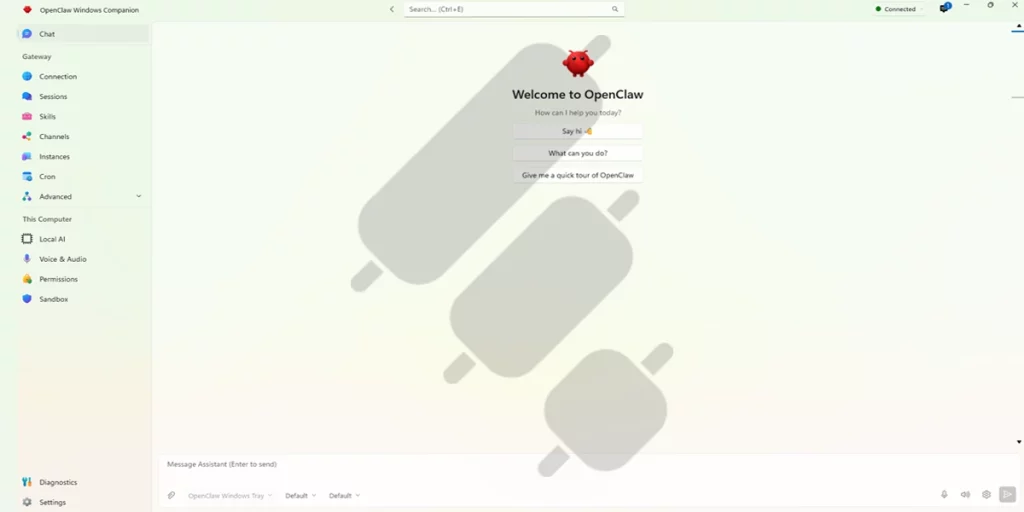
The chat screen gives you three quick buttons to start: say hi, ask what it can do, or take a quick tour. The easiest way to explore is to click “What can you do?”, and the assistant will explain its own abilities right there in the chat.
Here are the main things OpenClaw can do:
- Chat from the dashboard: The simplest way to use it is right here, in the built-in chat window. You type a message, and it replies. No extra setup needed.
- Talk to it from messaging apps: You can connect OpenClaw to apps like Telegram, WhatsApp, Discord, Signal, and Slack. After connecting, you message your assistant in plain language. Telegram is usually the easiest one to start with.
- Remember things across conversations: It remembers your preferences, projects, and past chats, so you don’t have to repeat yourself each time.
- Do real tasks on your computer: It can browse the web, read and write files, and run commands. You control how much access it has.
- Add skills: Those optional skills I skipped earlier can be added anytime; things like reading your email, managing your calendar, or working with GitHub.
- Run scheduled jobs: You can set it to do things automatically on a schedule, like a daily summary each morning.
OpenClaw Setup and Running Costs
The OpenClaw software itself is free. It is open source, and there is no subscription.
The main recurring cost is the AI model. If you use a hosted model through an API, you pay per token for everything the agent reads and writes, and an agent that monitors markets around the clock can use a lot of tokens. You can cut this to near zero by running a local model on your own hardware.
OpenClaw’s Security Risks
OpenClaw’s openness is what makes it powerful and risky at the same time. In early 2026, security researchers found thousands of exposed OpenClaw instances and over a thousand malicious skills on ClawHub, and a cleanup that February purged more than 1,100 of them.
The attack that matters most for traders is the risk of a malicious trading skill that reads your exchange API keys straight out of a plaintext config file and sends them to a stranger.
To protect yourself:
- Audit every skill before installing it.
- Use a dedicated bot wallet or sub-account.
- Don’t run a trading agent on a computer that also stores crypto wallets, password managers, or SSH keys.
- Prefer official, auditable exchange integrations (such as Crypto.com’s Agent Key, Bitget’s Agent Hub, or Alpaca through an open bridge you can inspect) over an unknown community skill.
- Cap everything at the exchange level, including weekly spending limits and withdrawal restrictions.
- Start read-only, then paper, then small. Leave order execution disabled until you’ve watched the agent behave, run in your exchange’s test environment with fake money, and go live with the smallest sizes allowed.
Can an OpenClaw Trading Bot Be Profitable?
Yes, but not on its own. A bot does not beat the market for you. It just follows your rules, fast and without emotion. If your strategy makes money, a bot can help you stick to it. But if your strategy loses money, the bot will lose it too.
The big win numbers you see online are the exception, not the rule. Most of them come from a few lucky trades in narrow markets. For every one of those, plenty of people lost money running the same tools.
So think of OpenClaw this way: it is a way to become familiar with other traders’ strategies, and also a way to run a strategy you already trust.
OpenClaw Alternatives & Comparison Review
OpenClaw is not the only agent people point at markets, and agents are not the only way to automate trading. It helps to separate two different comparisons.
If you want to compare OpenClaw with tools built more specifically for market analysis, signal generation, or automated execution, see our review of the best AI trading bots. Unlike OpenClaw, many of these platforms provide trading-focused features out of the box instead of requiring you to install and verify community-built skills.
OpenClaw vs. Hermes AI Agent
OpenClaw isn’t the only self-hosted AI agent. The closest alternative is Hermes, built by the AI lab Nous Research. Both are open-source, run on your own machine, keep persistent memory, use skills, and connect to apps like Telegram, Discord, and Slack.
Here’s the practical difference:
| OpenClaw | Hermes | |
| Made by | Created by Peter Steinberger; now run by the OpenClaw Foundation | Nous Research (AI lab) |
| Skills | Huge ClawHub marketplace with thousands of community skills | Fewer skills, but the agent auto-generates its own |
| Models and hosting | Bring your own model provider | Bring your own, or use Nous Portal for hosted credits and 200+ models |
| Security focus | Open marketplace, more choice, but you must vet every skill | Isolation-first, with heavy sandboxing built in |
OpenClaw vs. Dedicated Trading Automation Tools Like Finestel
The other comparison worth making is with infrastructures built specifically for trade execution, like Finestel. It is a different kind of tool with a different promise.
With OpenClaw, you assemble the trading stack yourself: an agent, a community skill, an exchange bridge, and API keys stored on your own machine. Finestel is a multi-account, multi-exchange execution infrastructure built for that one job. A signal, a TradingView alert, or a terminal order executes simultaneously across every account you select, on 10+ crypto exchanges. You can start with one account and scale to hundreds.
Finestel is non-custodial: your funds stay in your own exchange accounts, and you connect them with API keys scoped to trading only. No community-written code runs on your computer with access to a plain-text key file, which removes the attack path I described in the security section earlier.
Here is how Finestel’s tools cover what people try to build with OpenClaw skills:
- Turn signals into trades: Finestel’s Signal Bot executes your signals simultaneously across all your connected accounts. There is no custom skill to write or audit.
- Trade from charts: Finestel’s TradingView Bot sends TradingView alerts straight to execution on every linked account.
- Place orders by hand, at scale: The Trading Terminal lets you select multiple accounts and place the same order on all of them at once from a single dashboard. It also gives you real-time tracking of orders and positions, flexible sizing, and bulk actions like closing all positions.
- Run a strategy for clients: The Trade Copier software copies a master account’s entries, exits, and risk settings to every copier account, with profit-sharing and performance-fee settings built in.

You can see a quick comparison in the table below:
| Agents like OpenClaw | Finestel’s dedicated automation tool | |
| What it is | General-purpose AI agent, trading added via skills | Multi-account, multi-exchange, simultaneous order execution infrastructure |
| Recommended for | Traders who need an assistant and can preferably vet code | Professional solo traders, trading desks, asset managers, and portfolio managers who need reliable execution across many accounts |
| Trading built in? | No, comes from community skills | Yes, it is the core product |
| Multi-account execution | Manual, per your own setup | The same order executes concurrently on every selected account, from one account to hundreds or thousands |
| Custody of funds | Your responsibility; risky if keys mishandled | Non-custodial; you keep control of funds |
| Security burden | High; you vet skills and lock down keys | Low; no third-party code runs on your machine. You need to protect your API key, Secret key, and passwords |
| Cost | Free software + model tokens + hosting (if local) | 7-days free trial on the Pro plan
Starter free plan with multiple Hyperliquid accounts + 1 CEX account, signal bot & TradingView bot, trading terminal & Portfolio tracker Subscription plans: |
| Exchange coverage | Whatever a skill supports | 10+ exchanges including Binance, ByBit, Bitget, KuCoin, and Hyperliquid |
The Bottom Line
This OpenClaw trading bot review 2026 was based on the official OpenClaw documentation at docs.openclaw.ai, my hands-on installation and use of the OpenClaw Windows companion app, and public reviews from GitHub, Reddit, and independent write-ups.
After running a live setup, I can state that OpenClaw is a general-purpose autonomous agent, and the trading part comes from community-built skills that connect it to exchanges, wallets, and data feeds.
OpenClaw is an interesting open-source AI assistant, and turning it into a trading bot is possible. If you enjoy building and working with AI agents, an OpenClaw trading experiment can teach you a lot. If your goal is to actually execute and manage trades reliably, especially across multiple accounts, dedicated non-custodial automation like Finestel is built for that.
FAQs
Is OpenClaw a trading bot?
No. OpenClaw is a general-purpose, self-hosted AI agent. It becomes a trading bot only when you add a community-built trading skill to it.
Is OpenClaw free?
The software is free and open-source under the MIT license, with no subscription. Your real cost is the AI model. If you use a hosted model through an API, you pay per token.
Do I need to connect an exchange to use OpenClaw for trading?
No. You can use OpenClaw to watch the market and send you alerts, or to apply your strategy and tell you when to act, all without connecting an exchange or risking real money. You only need an exchange connection to let the agent actually place orders.
Do I have to sign in with GitHub to install a skill into OpenClaw?
No. Installing a skill into OpenClaw doesn’t require signing in. GitHub sign-in is only needed if you want to publish your own skill to ClawHub.
Is it safe to run an OpenClaw trading bot?
It can be, but the burden is on you. Protect yourself by auditing every skill before installing, using a dedicated wallet or sub-account, keeping keys off the machine where sensitive data lives, capping spending at the exchange level, and starting in read-only and paper mode before going live.
Can an OpenClaw trading bot actually make money?
Not on its own. A bot only follows your rules. If your strategy is profitable, automation helps you make the most of it.

Leave a Reply