

FMZ Quant, which is also known as the Financial Magic Zone, isn’t just another simple bot platform. I mean, it’s more like a full quant workshop and community marketplace. So, you can build strategies in code, test them, deploy them to run live, and even rent or sell strategies inside the ecosystem, which makes it quite interesting for many retail traders looking for algorithmic and automated trading.
So, in this FMZ Quant review by Finestel, I’ll break down how the platform actually works, from strategy development to backtesting and live execution. Also, we’ll discuss what the upgraded trading terminal and mobile app add in practice. The trade-offs will also be discovered, which include setup complexity, strategy risk, and performance realism. Finally, I’ll introduce some FMZ Quant alternatives.
What Is FMZ Quant?
To begin our FMZ Quant review and better understand what FMZ Quant is, try to consider it as two things in one. It is basically a quant trading platform with a community. On the platform side, you can develop trading bots, run backtests, paper trade, and deploy live bots. Just like many other auto trading tools these days.
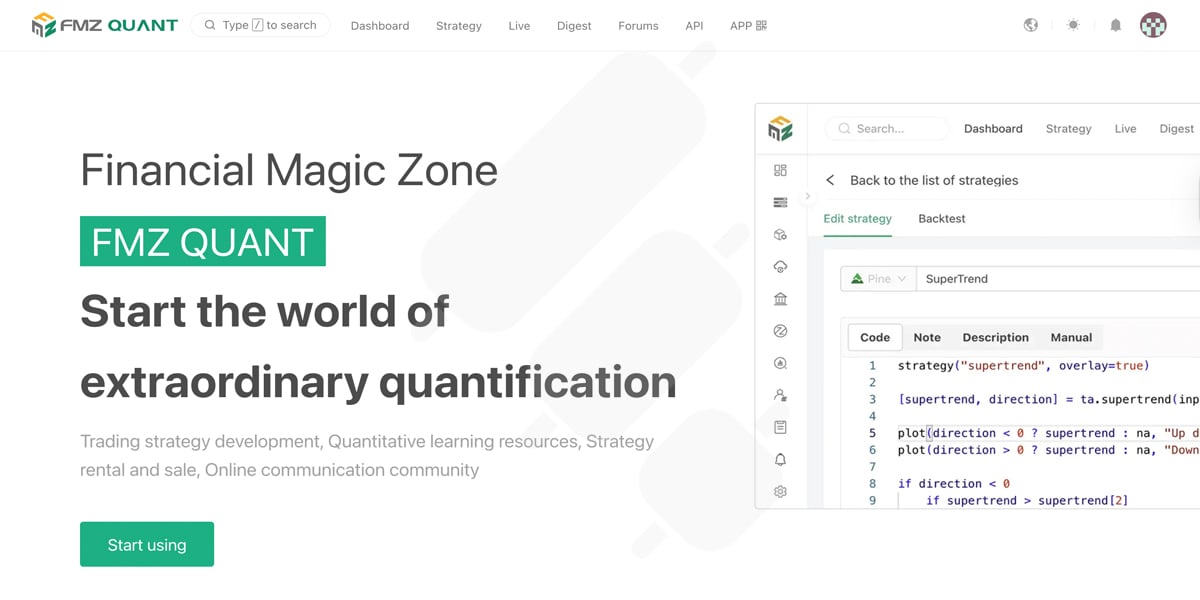
On the community side, you can learn from public strategies, discuss ideas in forums, and participate in a strategy marketplace where you and others can share, rent, or sell your work.
That developing platform, accompanied by a community and a strategy marketplace, is something that makes FMZ competitive in the bot trading scene. I also suggest you check out the FMZ Quant GitHub pages if you’re interested in learning more about the community.
Now, a typical FMZ workflow starts when you connect your exchange account. Then, you write or import a strategy, test it, and create a live bot instance that you can monitor from the dashboard. I see it as a familiar loop of development, backtesting, simulation, and running the strategy live.
How Does FMZ Quant Work?
Let’s make our FMZ Quant review more detailed by explaining how it actually works. FMZ is built around a simple split. The first part is the website dashboard, where you manage everything, and the second section is the Docker/Robot where trades actually run.
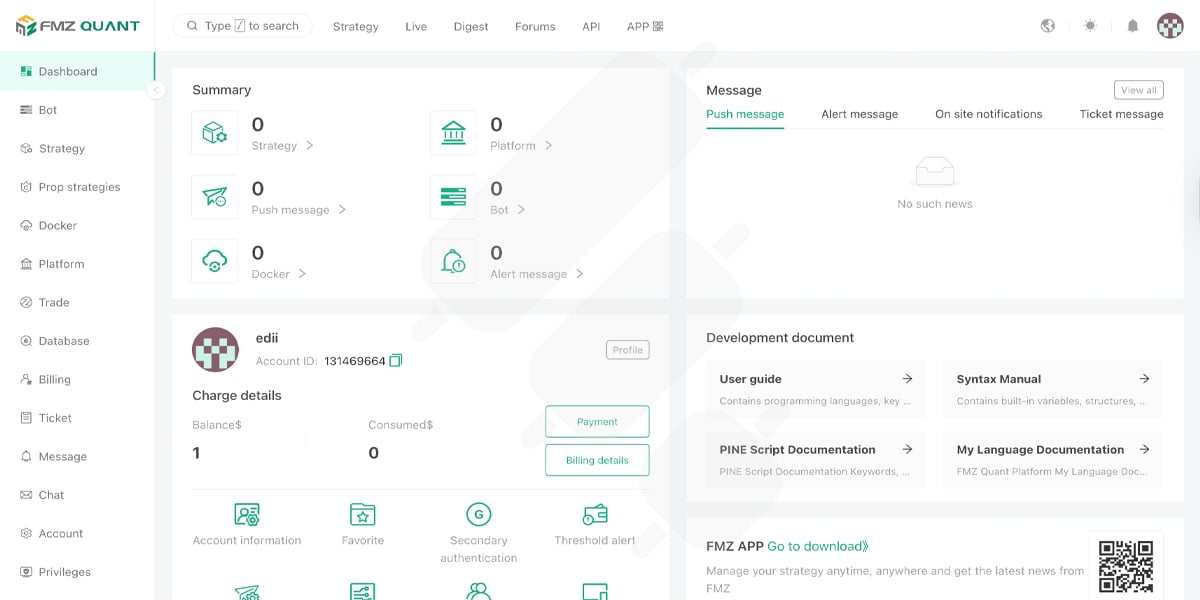
On the left-side menu of the FMZ dashboard, you’ll see sections like Bot, Strategy, Docker, Trade, and Database. So, the dashboard is actually the control center for creating strategies, configuring bot instances, and monitoring activity.
When you’re ready to go live, your strategy typically executes through the Docker/Robot program running on your own PC or a VPS. The dashboard sends your settings and commands to the Docker, which handles market data and order execution in real time.
This architecture matters because it changes the experience. I mean, you get more control over uptime and where the bot runs (local vs VPS), and you can reduce delays by choosing a good server location. So, you’re treating your bot like a small always-on system that you deploy, monitor, and maintain rather than clicking it once only.
FMZ Quant Features
You’ve likely already figured that FMZ Quant is built for people who want to do more than just turn on a bot and make money. The core experience is a loop, as I mentioned, that you build (or import) a strategy, test it, then run it live as a bot instance with parameters that you can tweak and monitor over time. In the upcoming sections of this FMZ Quant review, I’ll explain the features in more detail.

Strategy Development
FMZ lets you build strategies in different ways, but the common path is straightforward. You choose a language and write the logic, set parameters, and plug the strategy into a bot.
FMZ Quant supports popular coding options like Python, JavaScript, C++, and Pine. There are also “My Language” and visual/workflow-style tools for different user types.
Now, if you’re evaluating FMZ Quant as a trader like me, and not an expert developer, the main question is whether the platform makes it easy to go from idea to deployment without breaking the process and causing too much technical headache. After testing FMZ, I should say the answer is yes. Especially if you’re comfortable treating trading more like engineering and less like gaming.
Backtesting
Backtesting is also possible on FMZ, and it’s actually very useful and, in my opinion, a must. Yet, the biggest risk is taking a clean equity curve at face value without checking what assumptions created it. A bot that looks amazing in backtests can fail quickly in live markets because of friction.
Now, when you review an FMZ backtest, focus on what reduces realism, which are fees, slippage, spread, fill logic, and market liquidity, which affect almost all the aforementioned. You might also fall into the trap of overoptimizing your strategy on historical data. However, in any case, none of these are issues of FMZ. They’re the problems we traders face on any platform.
Performance analysis
FMZ’s community and strategy ecosystem can be helpful, but performance evaluation still comes down to your standards. The platform gives you enough tools to analyze your strategy’s performance. But I think there could be more sophisticated metrics for evaluation.
This is important when it comes to complex strategies. If you can’t explain why one such strategy is not working, you’re guaranteed to lose money. So, more metrics and evaluation tools are always appreciated.
FMZ Quant Pricing
For many, this part of our FMZ Quant review is the most important, which is the pricing. The platform’s fees are usage-based and billed hourly. In FMZ’s own Getting Started guide, it states that you’ll be charged by the hour and that each live real bot costs $0.05 per hour.
Remember that any partial hour is counted as a full hour (I know it’s a bit odd). But the guide also notes that if you suspend and restart a bot, it won’t be double-charged for the same period.
Pros and Cons of FMZ
As I’ve already mentioned, FMZ Quant feels closer to a quant trading workspace than a plug-and-play bot app. And that’s the main trade-off. I mean, you get more control and flexibility, but you also take on more complexity. But here are the pros and cons of the platform in more detail:
Pros
- Built for serious iteration: strategy development, testing, deployment, and monitoring live in one place.
- Flexible strategy building: supports multiple coding languages and workflows, so you’re not locked into one style.
- Strong execution model: the dashboard manages bots while Docker/Robot handles live running on your PC/VPS, which can improve control over uptime and deployment.
- Ecosystem and community: forums, tutorials, and a large strategy library make it easier to learn and benchmark ideas.
Cons
- There’s a Learning Curve: It’s not the easiest tool for someone who wants a simple copy trading bot.
- Ops comes with the package: Live trading means monitoring bots, handling errors, and keeping your setup stable.
- Strategy marketplace risk: shared or rented strategies vary wildly in quality, transparency, and robustness.
Who Is FMZ Quant For?
So, if you’ve already gone through this FMZ Quant review, you’d know that the platform is best for traders who want to engineer their strategies. I mean, people who are willing to test ideas systematically, adjust parameters, and run bots with a real operating setup. It’s also a good fit if you like learning from community strategies but still want the ability to inspect and modify logic.
It’s usually not the best choice if you want a fully hands-off experience, don’t want to deal with any monitoring or setup, or expect backtests to translate to live performance without ongoing work.
FMZ Quant Alternatives
If your priority is how you run and scale execution, like signals, copy trading, and multi-account ops, FMZ might not be the best choice. There are other tools that can fit better, especially for asset management teams and signal providers.
|
Platform |
Best for |
Strategy building |
Live execution |
|
FMZ Quant |
Developers and quant learners who want to build/test/deploy inside one ecosystem |
Code strategies (multi-language) + community/strategy marketplace |
Runs via dashboard + Docker/Robot on your PC/VPS |
|
Finestel |
Trading businesses, teams, and signal providers who want automation + ops + client-facing tools |
Build around alerts/signals + TradingView flows (automation-first) |
Web-based ops layer designed for running at scale |
|
Research-heavy quant devs (multi-asset backtesting + rigorous modeling) |
Code-first research/backtesting workflow |
Local or cloud deployment options |
|
|
Traders who want TradingView automation + bots + social/copy trading |
TradingView automation + bot tooling |
Cloud platform |
Where Finestel Can Be a Good Fit
Finestel can actually be a better FMZ Quant alternative for some traders. If FMZ is your quantitative workshop, where you write logic, run it via Docker, and iterate, Finestel is built more for the operating layer of a trading business.
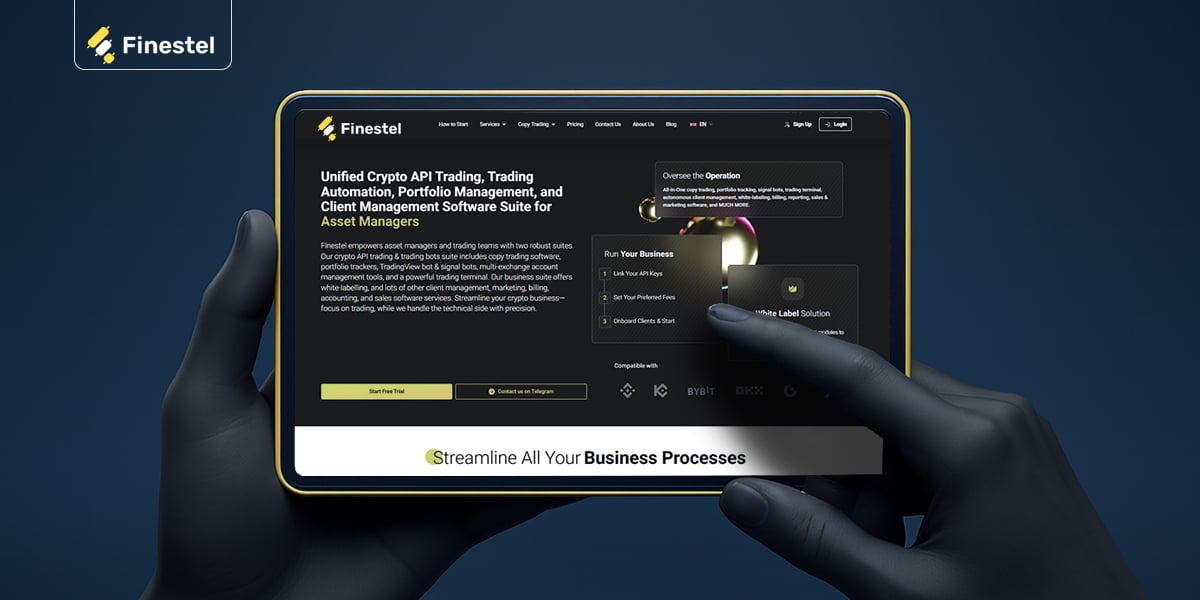
We offer an advanced trading terminal for bulk actions and bulk execution, plus signal bots that turn alerts into real orders and aa advanced level copy trading software designed for running replication at scale. You can also choose our white-label asset management solution for full customization and brand personalization.
So, Finestel is a natural FMZ Quant alternative when you’re less focused on deep strategy coding inside a community ecosystem, and more focused on running trading and signal bots cleanly, managing multiple accounts, and offering a copy trading bot experience to followers/investors (or running it privately for a team).
Conclusion
FMZ Quant is a solid choice if you want a code-first environment where you can build your own automated strategies, test, and run them. You can also benefit from its big community and strategy marketplace. It’s not the simplest tool, but for traders who like to iterate and treat automation like a system they manage, it offers a lot of flexibility and control, which I really appreciated while testing it out.
However, the main takeaway of this FMZ Quant Review is that the best platform depends on your workflow. FMZ is strong for strategy development and experimentation, but alternatives like Finestel can make more sense if you care more about running signal bots, copy trading setups, or managing automation through a unified trading terminal as a crypto asset manager or trading team.



Leave a Reply