
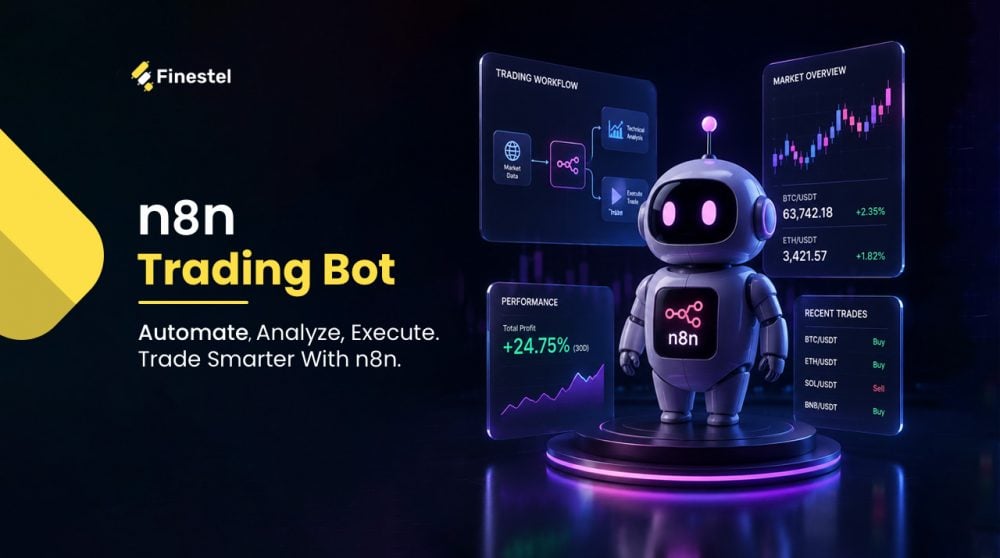

If you’ve ever woken up to a move you completely missed, the kind where BTC pumped 8% overnight, and your alert fired three hours too late, you already understand why an n8n trading bot is likely worth your time. Crypto runs 24/7. You don’t. That mismatch is exactly the problem automation is designed to solve.
Most traders start experimenting with n8n bots after getting frustrated with the limitations of some paid bot platforms. I mean, they can be too rigid, too expensive for what they actually offer, or always missing that one integration you need. But the good thing about n8n is that it’s open-source and self-hostable. You can also connect it to any API, which could be an exchange, data feed, signal provider, or even a Telegram notification channel.
In this article, I’ll explain what an n8n trading bot is and why it’s become a go-to tool for crypto automation, while walking you through building a basic trading bot step by step, and more.
What is n8n?
Before getting into n8n trading bots, we should introduce the platform itself. n8n.io is an open-source workflow automation platform. Think of it like Zapier or Make. But the difference is that you host it yourself, which means you own your data, and there’s no per-operation pricing eating into your margin.
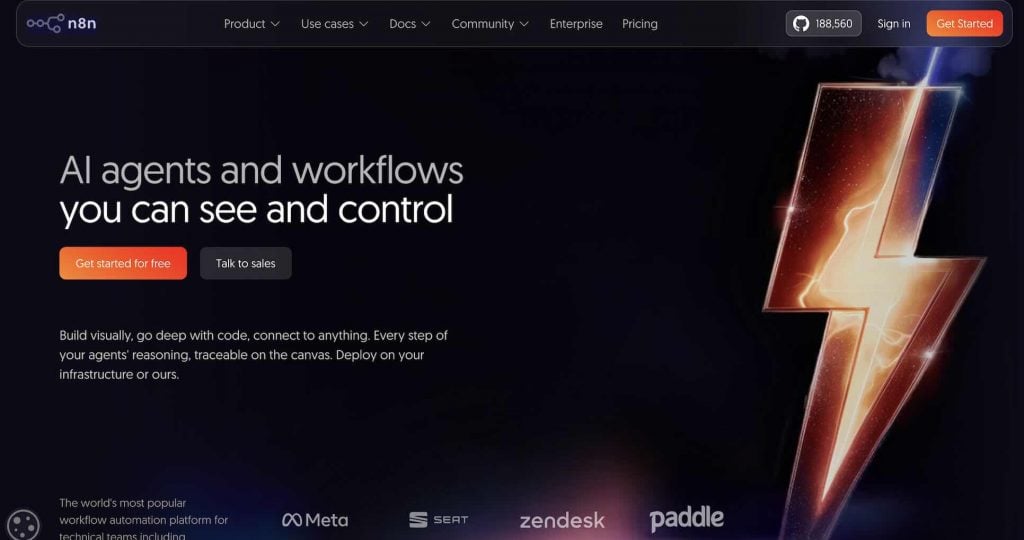
The interface is also node-based. This means you connect blocks together visually. When a trigger fires, data flows through logic nodes, and then something happens at the end. Another key point is that no coding is required for most setups, but you can drop JavaScript into a Code node whenever you need custom logic.
n8n currently has over 1,300 native integrations. The notable ones are Telegram, Google Sheets, Discord, Slack, databases, and email. There’s also an HTTP Request node that connects to any API that exposes an endpoint. For an n8n crypto trading bot, that means any exchange with a REST API is fair game. In October 2025, n8n raised $180M in a Series C at a $2.5 billion valuation, growing revenue 10x and users 6x year-over-year. The platform now has over 230,000 active users, which tells you the ecosystem around it (templates, community workflows, integrations) is mature enough to build on seriously.
What Can You Build With an n8n Trading Bot?
Before jumping into setup, it’s worth knowing what’s actually possible. The use cases range from simple price alerts to full AI-driven n8n trading agents. So, here’s a breakdown of the main ones in my opinion.
Crypto Price Alerts and Signal Routing
This is the most common starting point. You connect n8n to an exchange API or data feed and set a condition. This could be the price crossing a level, a 24-hour change exceeding 5%, the RSI dropping below 30, or a more sophisticated signal. The n8n crypto signal bot will then send an alert to Telegram, Discord, or email the moment it triggers.
This is a simple way to build an n8n trading bot for free, and it’s genuinely useful. Most professional traders I know run at least one of these as a background monitor, even if they’re executing manually.
TradingView Webhook Handler
This is the most popular n8n trading bot template and setup by a distance. TradingView fires a webhook every time one of your alert conditions is met, n8n catches it, formats the data, and routes it wherever you need it to go. This is essentially how most n8n TradingView bots work.
You can log every signal to a Google Sheet, push a formatted card to a Telegram channel, and trigger a downstream action all from a single TradingView alert. If you’re already running Pine Script strategies, this setup requires almost no extra work on the TradingView side.
n8n Trading Agents
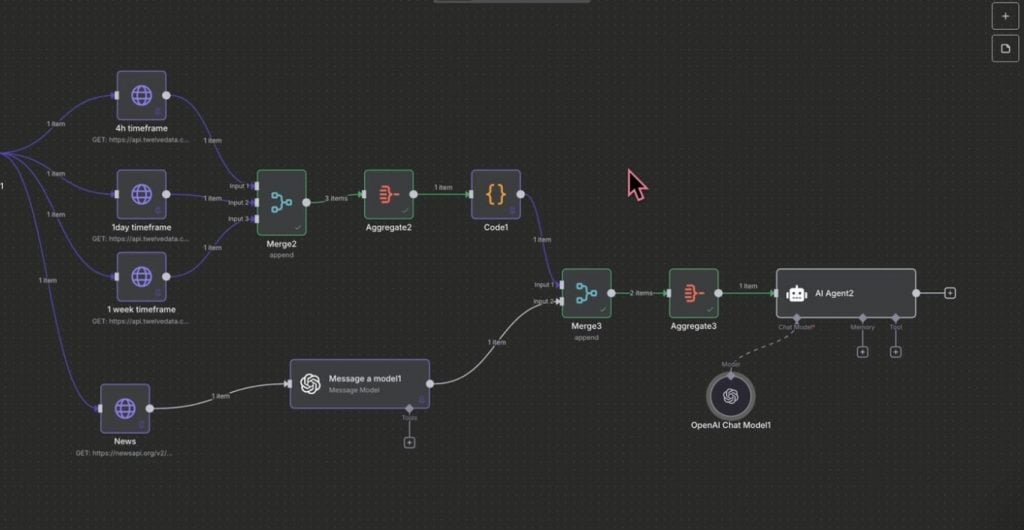
AI n8n trading agents are the hot topic these days in the trading industry. An n8n AI Agent node lets you connect an LLM (like ChatGPT, Claude, Gemini, DeepSeek) directly to live market data. So, this AI agent receives price data, applies whatever analysis prompt you’ve written, and returns a structured signal with entry, stop loss, take profit, and even a confidence score.
But there’s a caveat. AI agents are still far underdeveloped to be able to trade profitably. So, I wouldn’t use this for autonomous execution without serious testing. You’ll also need a proper strategy and prompt to feed it. However, as a signal generation layer or a second opinion on a setup you’re already watching, it does a decent job.
Stock Market Monitors
Everything above applies to equities, too. Yahoo Finance, Alpha Vantage, Twelve Data, and EODHD all expose REST APIs that an n8n stock trading bot can query on a schedule.
If you’re running a mixed portfolio across crypto and stocks, one n8n trading bot can monitor all of it and push alerts to the same channel. Most setups end up combining two or three of these patterns in a single workflow once you get comfortable with the interface.
n8n vs Dedicated Crypto Bot Platforms
The honest answer is that it depends on what you’re trying to do. Platforms like 3Commas, Pionex, and Bitsgap are faster to start. The usual flow is that you sign up, connect your exchange, pick a bot type, and you’re running in under an hour. They have built-in backtesting, strategy marketplaces, and pre-tested execution logic. So, for example, if you want a grid bot or a DCA bot live on Binance today, those platforms exist exactly for that, and n8n would be overkill.

Yet, where n8n pulls ahead is flexibility. There’s no per-trade fee or monthly subscription in the same way these platforms charge you. There’s also no limit on what you can connect. You’re not restricted to a platform’s approved integrations or pre-built strategy types. You write the logic and own the data, and nothing runs on someone else’s server unless you choose it.
The moment your workflow needs to pull from three APIs, apply custom conditions, log to a database, alert a Telegram channel with a formatted signal card, and optionally route to an exchange, these dedicated platforms start showing their limits. But n8n handles all of that in a single workflow. That’s also where pairing it with something like Finestel’s Signal Bot makes sense. n8n becomes the automation backbone that handles your logic, filtering, and routing, while Finestel’s Signal Bot sits at the end of that chain as the execution layer that actually places the trade.
The one real gap between n8n and dedicated platforms is backtesting. n8n has nothing built in for that. You’d need to pipe historical data through a Code node or test against an external tool entirely. So if backtesting is central to your process, build that part elsewhere and use n8n for everything downstream.
How to Build an n8n Crypto Trading Bot
Here’s how to build a basic signal-to-alert n8n trading bot. This is the same foundation you’d expand on for anything more complex. You can swap out the data source and add more conditions. The logic stays the same.
Step 1: Install or Sign Up for n8n
For 24/7 trading automation, self-hosting on a VPS is the better long-term choice. Run it on a VPS with this Docker one-liner:
docker run -it –rm –name n8n -p 5678:5678 n8nio/n8n
DigitalOcean and Hetzner both work fine. A $6/month instance is enough. If you just want to test things out first, n8n.cloud has a free trial.
Step 2: Create a New Workflow
Go to the n8n dashboard and set up a new workflow. Name it something descriptive, like “BTC RSI Alert” or “TradingView Signal Router”, so you can find it later when you have ten workflows running.
Step 3: Add a Trigger Node
There are two options here. A Schedule Trigger polls on a fixed interval. It can be every 5 minutes, every hour, or whatever fits your strategy. A Webhook Trigger waits passively and fires the moment a signal arrives from an external source like TradingView or Finestel. For most trading setups, webhook is the better choice. It’s event-driven, more efficient, and avoids the latency of polling.
Step 4: Pull Market Data
Add an HTTP Request node and point it at your data source. Binance’s /api/v3/klines endpoint gives you OHLCV data per pair. CoinGecko works for price and market cap data. If you’re using an external signal provider, this step is just receiving the payload — the data is already structured when it arrives.
Step 5: Add Logic with IF or Filter Nodes
This is where your conditions live. For example, if the price change exceeds 4%, or RSI crosses below 30, should the signal direction equal BUY or SELL? You should set the condition in an IF node and branch into different paths depending on the output. You can always chain multiple conditions together without touching any code.
Step 6: Add a Notification Node
Pick whichever channel you actually monitor, like Telegram Bot, Discord Webhook, Slack, or email. Pull dynamic values from the incoming data (symbol, price, signal type, timestamp) and format them into a readable message. A clean alert card takes about ten minutes to set up properly.
Step 7: Add Exchange Execution
If you want the bot to place orders rather than just alert you, add another HTTP Request node pointing at your exchange’s order endpoint. Binance, Bybit, and most major exchanges have testnet environments, and you can use them. Just don’t route live funds through an untested workflow.
Alternatively, this is where Finestel’s Signal Bot replaces the raw exchange API call. Instead of managing authentication, order formatting, and error handling yourself, n8n sends a single POST request to your Finestel webhook URL, and the execution side is handled entirely from there.
Step 8: Activate and monitor
Finally, toggle the workflow to Active. Check the Executions tab after the first few runs to confirm data is flowing correctly. A tip I can give you is to add an error notification node. This can be a simple Telegram message if a run fails.
This whole setup can be built in under an hour once you’re familiar with the interface. The first build always takes the longest.
Risk Management for Your n8n Trading Bot
Now, I’ve had years of experience with trading and automation to emphasize that risk management is the part that’ll cost you money if you neglect it. While automation removes emotion from trading, it also removes the instinct to stop when something is going wrong. You need to build that instinct into the workflow itself before you point it at live funds.
Position size limits are the first thing I’d configure. Add a Code or IF node that calculates the order size as a fixed percentage of your balance, like 1-2% per trade max. This is called a hard cap. Without it, a misconfigured signal can open an oversized position without you even noticing.
Daily loss circuit breakers come second. Set a condition that checks your running P&L for the day. If losses exceed a threshold, say 3-5% of account balance, the workflow branches to a Stop node and sends you an alert. So, your n8n trading bot goes quiet until you manually re-enable it.
Duplicate signal prevention is my less obvious suggestion, but it’s equally important. If your signal source fires twice in quick succession, like a TradingView webhook double-triggering or a delayed HTTP retry, n8n will process both. So, I’d definitely recommend adding a check using a Set node that stores the last signal timestamp and filters out any duplicates arriving within 60 seconds.
Error notification nodes should also be on every automation workflow. That’s because when an API call fails, or a node times out, n8n fails silently unless you tell it not to. What I personally suggest is connecting a Telegram or email notification to every error output. This way, you’ll know immediately when something breaks, not three hours later when you check the executions tab.
Best n8n Trading Bot Templates
You don’t have to build from scratch. The n8n community has published hundreds of trading-related workflows. The most useful n8n trading bot templates are listed in the table below, and you can start from there.
Where to find them:
- n8n.io/workflows: This is the official template library. Click “Use Template” on any workflow, and it auto-imports directly into your instance.
- GitHub: Search “n8n trading bot GitHub” or “n8n crypto bot” for community-built JSON files. Download the .json file, go to the n8n dashboard, Settings, Import Workflow, and select the file.
Here are the best ones worth grabbing:
| Template/Tool | Use Case | Source |
| Binance + Telegram Price Alert | Monitors 24h price changes, fires Telegram alert on significant moves | GitHub (Automations-Project) |
| TradingView → Telegram Signal Forwarder | Catches the TradingView webhook, formats, and pushes a signal card to Telegram | n8n Template Library |
| AI Crypto Analyst (CoinGecko + GPT-4o) | Pulls top 10 coins, generates BUY/SELL/HOLD signals in plain English | n8n Template Library |
| ICT Bot (GPT-4o + Coinbase) | Implements ICT methodology — kill zones, FVGs, BOS detection + AI confidence scoring | n8n Template Library |
| LLM Trading Bot Assistant (Twelve Data) | Multi-asset signal generation across BTC, ETH, SOL — swap LLMs in 60 seconds | n8n Template Library |
One thing worth saying clearly is that these templates are starting points. They’re not plug-and-play money machines. I mean, you’ll need to add your own API keys and adjust the conditions for your strategy. Then, test on a demo account before applying any of this to live funds.
Taking Automation to the Next Level with Finestel
Finestel’s Signal Bot has a multi-source architecture, which means that it doesn’t care where the signal originates. TradingView, Telegram, a Python script, an AI model, or an n8n workflow. As long as the payload arrives at the webhook URL in the right format, Finestel picks it up. It executes the trade on the connected exchange.
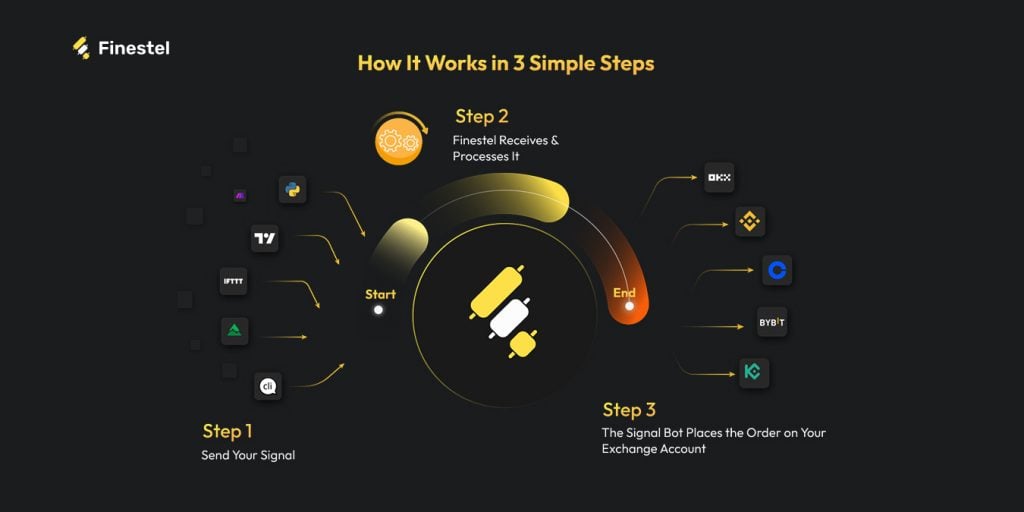
In an n8n setup specifically, the division of responsibility is clean. n8n handles everything upstream. This includes data fetching, condition filtering, logging, notifications, and routing logic. Once conditions are met, it fires a POST request to Finestel’s webhook URL. From that point, Finestel takes over. It handles credential validation, order placement, TP/SL application, and multi-stage exits across up to six exchanges simultaneously.
To put this into perspective, let’s have a quick comparison. If you already have a solid TradingView Pine Script strategy, routing TV alerts directly into n8n is perfectly viable and costs nothing extra. Finestel makes more sense when you want structured, multi-exchange execution without building and maintaining the order management logic yourself, or when your signal source isn’t TradingView at all.
Where Finestel really becomes the obvious choice is if you’re running a signals service or managing assets for others. Our copy trading software lets followers replicate your trades automatically across their own exchange accounts. Moreover, Finestel’s trading terminal gives you a unified dashboard to manage positions across multiple exchanges simultaneously. That’s a different league from a DIY n8n bot, and it’s built specifically for traders who’ve outgrown running automations just for themselves or just on one account.
Conclusion
n8n is one of the more underrated tools in a crypto trader’s stack. It won’t replace a dedicated trading platform. But as an automation backbone, which means connecting data sources, filtering signals, routing alerts, and triggering execution, it’s hard to beat for the price. Building your first n8n trading bot takes an afternoon. Getting it to a point where it’s genuinely useful takes a bit longer, but the flexibility you end up with is worth it.
If you’re at the stage where the automation is solid but the execution side isn’t, that’s the gap worth closing next. Finestel’s Signal Bot sits at the end of your n8n workflow. n8n handles the logic and routing, and once conditions are met, it fires a webhook to Finestel, which places the trade across the most popular exchanges out of the box. Worth looking at if you want the full stack running without building and managing every piece yourself.


Leave a Reply