
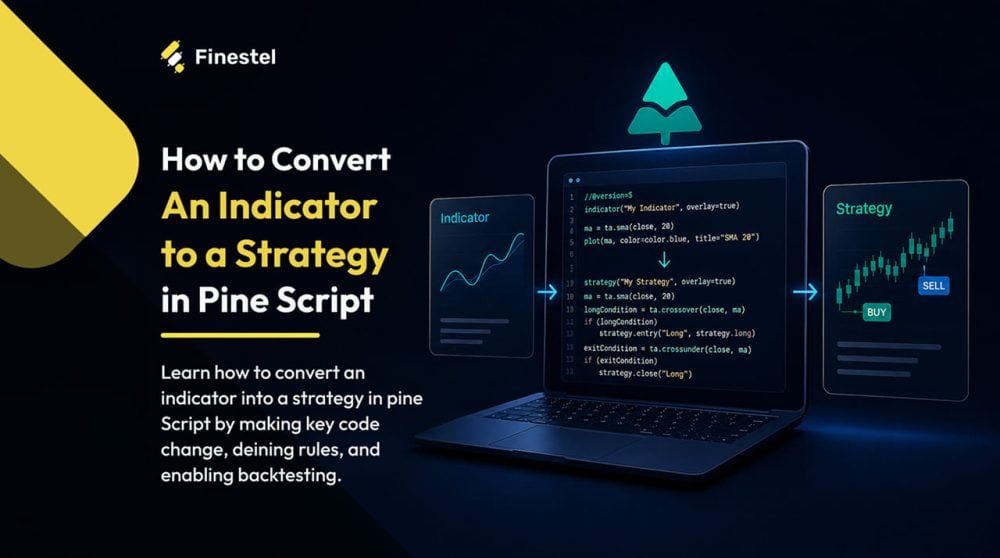

You can’t claim an indicator has an edge without proving it on data, and the only way to do that is to convert the indicator to a strategy and run a proper backtest (by proper, I mean a fully mechanical and automated one).
I’ve gone through this process more times than I can count. The good news is it’s not as technical as it sounds, especially if you’re working in TradingView. Pine Script makes the conversion pretty straightforward once you understand what actually needs to change, and if coding isn’t your thing, AI tools like ChatGPT and Claude can handle most of it for you.
In this article, I’ll walk you through how to convert an indicator to a strategy step by step. I’ll cover the Pine Script method with a real example, the AI-assisted Pine Script writing approach, and the MT4 route for those not on TradingView. I’ll also show you what to do after backtesting, and how to automate your strategy and trade it live.
Indicator vs Strategy: The Difference
An indicator is just a tool for reading the market. It calculates something, like momentum, trend direction, or even volatility, and displays it visually on your chart. It basically tells you what’s happening from a different point of view.

A strategy, on the other hand, acts on that information. I mean, it defines exact rules for when to enter, when to exit, and how much to risk. That’s why you can test a strategy, and not an indicator, against historical data.
Now, that distinction matters more than most realize. Without converting your indicator into a strategy, you have no win rate, drawdown data, or any other useful information about how you expect this method to perform. Converting it unlocks TradingView’s Strategy Tester, where you can see the full performance breakdown across any historical period. This way, you can actually find out if your edge is real or just recency bias.
How to Convert an Indicator to a Strategy in Pine Script
First off, if you don’t know, Pine Script is TradingView‘s built-in coding language. Almost every custom indicator and strategy you see on the platform uses the language. What’s unique about it is that it’s designed specifically for traders, not software developers.
So, you don’t need a programming background to work with Pine. The syntax is relatively simple, and for a conversion like this, you’re mostly making small, targeted changes to existing code rather than writing anything from scratch. Now, let’s see how to convert an indicator to a strategy in Pine Script and backtest on TradingView.
Read our comprehensive guide about auto trading on TradingView.
Step 1: Replace indicator( ) with strategy( )
Every Pine Script starts with a declaration line at the very top. It’s a line that tells TradingView what type of script it is. For an indicator, that line looks like this:
indicator(“My Indicator”, overlay=true)
To convert it to a strategy, you replace that line with this:
strategy(“My Strategy”, overlay=true, initial_capital=10000,
default_qty_type=strategy.percent_of_equity, default_qty_value=10,
commission_type=strategy.commission.percent, commission_value=0.1)
That’s the core of the conversion. But let me also provide a brief of what each parameter does in plain terms:
- title: the name of your strategy as it appears on the chart. Just a label.
- overlay: set to true if your strategy plots directly on the price chart (like an EMA), false if it plots in a separate panel below.
- initial_capital: the starting account size for the backtest. I usually set this to 10000 to keep the math readable.
- default_qty_type: how TradingView calculates position size. strategy.percent_of_equity means each trade uses a percentage of your account, which is more realistic than a fixed lot size.
- default_qty_value: the actual percentage or amount to use per trade. Set to 10 with the above type means 10% of equity per trade.
- commission_type and commission_value: the trading fee per order. 0.1 percent is a reasonable estimate for most crypto exchanges.
Step 2: Add Entry and Exit Conditions
Once the declaration is in place, the next step is telling the strategy when to actually trade. Your indicator already has that logic built in. I mean, signals like a crossover, an RSI threshold crossing, or a candle close above a level can all be used as the trigger. The only thing you need is to wrap those signals in the right functions.
Now, for a long entry, it goes like this:
strategy.entry(“Long”, strategy.long, when=longCondition)
And, for a short entry:
strategy.entry(“Short”, strategy.short, when=shortCondition)
Finally, to close a position:
strategy.close(“Long”, when=exitCondition)
Or you can use strategy.exit() if you want to define a take-profit and stop-loss level directly:
strategy.exit(“Exit Long”, from_entry=”Long”, stop=stopPrice, limit=targetPrice)
Remember, if you define an entry condition but never define an exit, TradingView will keep the position open indefinitely until the opposite signal fires or the backtest ends. So, always be explicit about how and when a trade closes.

EMA Crossover Strategy Pine Script Example
The EMA crossover strategy example on TradingView is one of the cleanest examples to work with. I’ve chosen it because the logic is simple and it’s a good foundation for more complex strategies.
Here are my rules to convert the indicator to a strategy with Pine Script:
- When the 9 EMA crosses above the 21 EMA, we go long.
- When it crosses below, we close the long and immediately flip to short.
So, the strategy is always in a position, either long or short. It switches sides every time the EMAs cross.
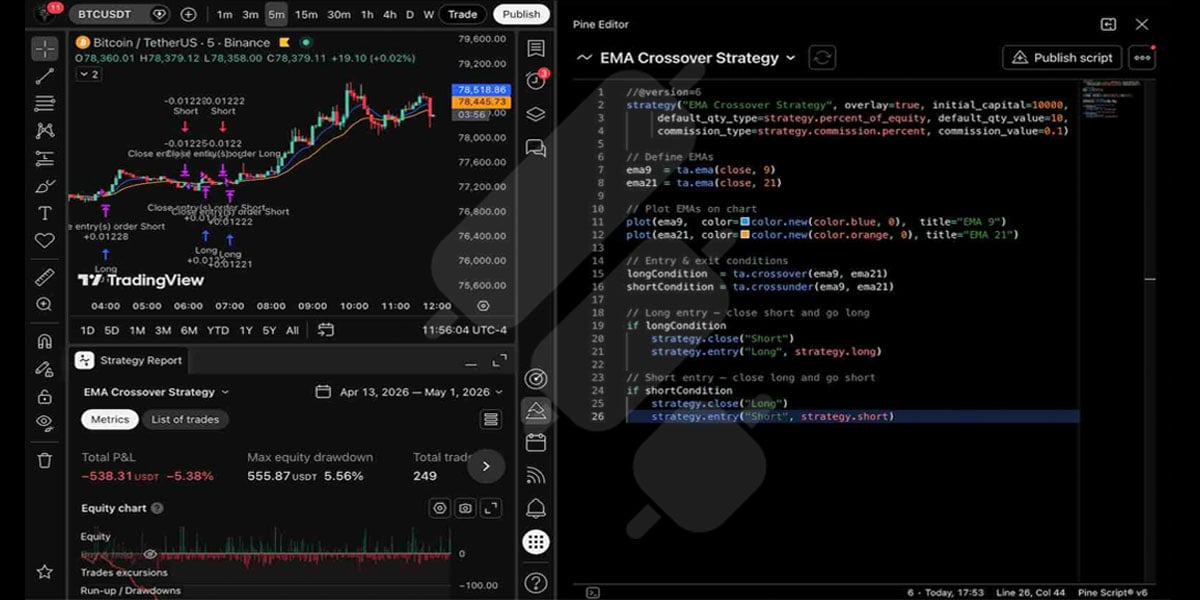
If you want to see this in action yourself, just copy the code below and paste it into the Pine Script editor on TradingView. You’ll find it in the right-hand sidebar. Hit “Add to chart” and it opens the Strategy Tester tab at the bottom to see the full backtest results.
//@version=6
strategy(“EMA Crossover Strategy”, overlay=true, initial_capital=10000,
default_qty_type=strategy.percent_of_equity, default_qty_value=10,
commission_type=strategy.commission.percent, commission_value=0.1)
// Define EMAs
ema9 = ta.ema(close, 9)
ema21 = ta.ema(close, 21)
// Plot EMAs on chart
plot(ema9, color=color.new(color.blue, 0), title=”EMA 9″)
plot(ema21, color=color.new(color.orange, 0), title=”EMA 21″)
// Entry & exit conditions
longCondition = ta.crossover(ema9, ema21)
shortCondition = ta.crossunder(ema9, ema21)
// Long entry — close short and go long
if longCondition
strategy.close(“Short”)
strategy.entry(“Long”, strategy.long)
// Short entry — close long and go short
if shortCondition
strategy.close(“Long”)
strategy.entry(“Short”, strategy.short)
Here’s what each block is doing:
- Lines 1–4: The strategy declaration with all the backtest settings we covered above.
- Lines 7–8: Calculate the 9-period and 21-period EMAs using the closing price.
- Lines 11–12: Plot both EMAs on the chart so you can see them visually.
- Lines 15–16: Define the entry and exit conditions. ta.crossover fires when EMA 9 crosses above EMA 21. ta.crossunder fires when it crosses below.
- Lines 19–22: When a long signal fires, close any open short position first, then enter long. Lines 25–28 do the same in reverse for the short side.
This was a quick guide on how to add a strategy in TradingView. Note that the code below is written in Pine Script version 6, which is the latest version as of this writing.
Common Mistakes to Avoid
There are a few things I see come up regularly when traders first go through this process (including myself).
Forgetting exit logic is the first mistake. If you define an entry condition but never define how the trade closes, TradingView holds the position open until the opposite signal fires or the backtest ends, whichever comes first. In the example above, every entry has a matching strategy.close() call, so this is handled explicitly. Don’t assume TradingView will figure it out.
The next pitfall is converting a repainting indicator. Some indicators repaint, which means that they revise their past signals as new bars come in. On a live chart, this isn’t always obvious, but in a backtest, it’s devastating to your results. It makes the performance look far better than it is. Fix the repainting first, then convert the indicator to a strategy.
Finally, we have Look-ahead bias. This one is subtler and easier to miss. It happens when your script accidentally uses future data, which happens most commonly through certain request.security() configurations, or by using data from a bar that hasn’t fully closed yet. Keep a careful eye out for this one.

How to Convert TradingView Indicators into Strategies with AI
I get it. Not everyone likes to code. If Pine Script isn’t something you want to learn right now, you don’t have to. AI tools like ChatGPT and Claude can handle the conversion for you. You describe what you want, paste in your code the way I explained above, and get a working strategy back in seconds.
Here’s the AI-assisted Pine Script writing workflow I’d recommend:
Step 1: Paste your indicator code. Open ChatGPT or Claude and paste your existing Pine Script indicator code directly into the chat. If you don’t have the code and you’re working with a built-in TradingView indicator, describe the logic instead. For example: “an RSI indicator that signals when RSI crosses above 30 from below.”
Step 2: Write a precise prompt. A vague prompt like “convert this to a strategy” will give you a vague result. Instead, tell the AI exactly what you want. Something like this:
“Convert this Pine Script indicator into a strategy using Pine Script version 6. Go long when [condition], close the long, and go short when [condition]. Use an initial capital of $10,000, 1% equity per trade, and a 0.1% commission per order.”
Be specific and clear.
Step 3: Paste the output into TradingView and test. Copy the code the AI gives you, paste it into the Pine Script editor, and add it to your chart. Check that it compiles without errors and that the trades on the chart match what you intended.
So essentially, this is how you convert TradingView indicators into strategies with AI. It’s not perfect every time, but it gets you 90% of the way there without writing a single line of code yourself. There are also no “Claude Pine Script” or “ChatGPT Pine Script” instructions or skills you need to teach these AIs. They already know how to handle it.
How to Convert an Indicator to a Strategy on MT4
The concept is the same as TradingView. You take your indicator’s signal logic and turn it into something that can place and close orders automatically. But the execution is more involved.
MT4 uses MQL4, its own programming language, which is entirely separate from Pine Script. And instead of a “strategy,” MT4 calls them Expert Advisors (EAs). These are .mq4 files that run directly on your chart and execute trades based on whatever logic you’ve programmed in.
The conversion process means taking your indicator’s signal conditions and moving them into an EA file, specifically inside the OnTick() function. This function runs on every new price tick and uses OrderSend() to place the actual trades. So you’re actually working with two .mq4 files. One is your original indicator, and the other is the new EA you’re building from it.
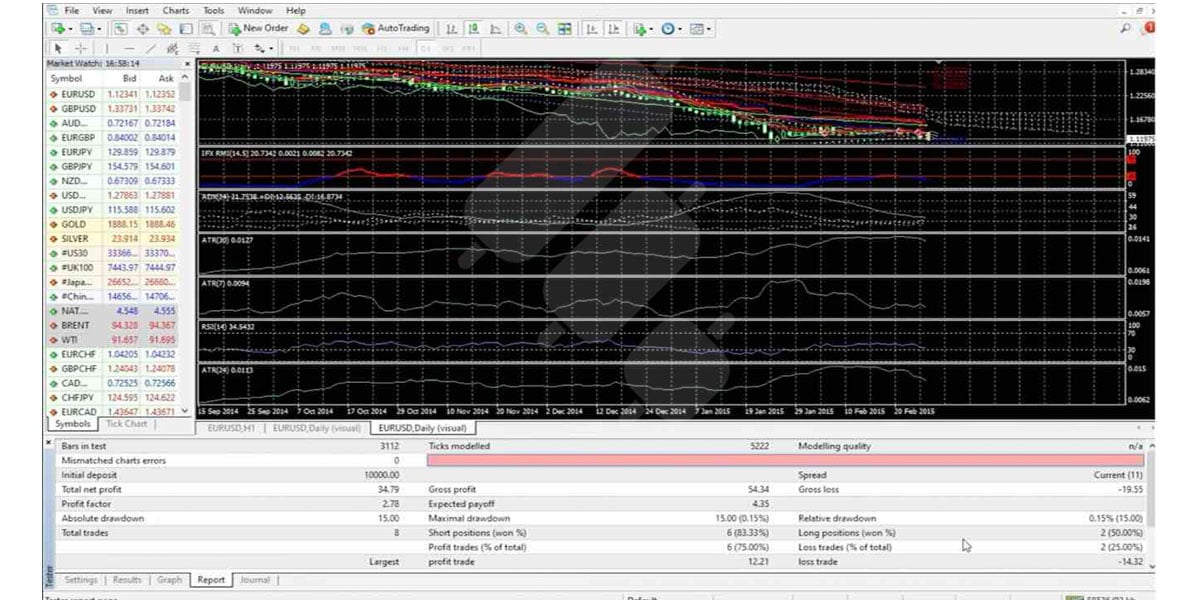
If you’re not a coder, the AI approach works here too. Paste your MQL4 indicator code into ChatGPT or Claude and ask it to convert it into an EA with your specified entry and exit logic. Once your EA is ready, MT4’s built-in Strategy Tester works similarly to TradingView’s. Just load the EA, set your date range and settings, and run the backtest.
Free Ways to Convert an Indicator to a Strategy Online
Let me save you some time here, because there’s no reliable one-click tool that converts indicators to strategies automatically. If you’ve been searching for one, you probably already know that. Most of what shows up for that kind of search is either outdated or unreliable.
What actually works for free is what I’ve already covered in this article. Write the conversion yourself in Pine Script or MQL4, or paste your indicator code (or clear instructions) into ChatGPT or Claude and let the AI do it for you. That second option is genuinely the most reliable free method if you don’t have a coding background.
How to Turn Your Pine Script Strategy into an Automated Live Trading Bot
Backtesting proves your edge on paper. That’s not enough. At some point, you have to trade it live. You can try manually watching for signals, but it always results in missing trades and messing up the performance.
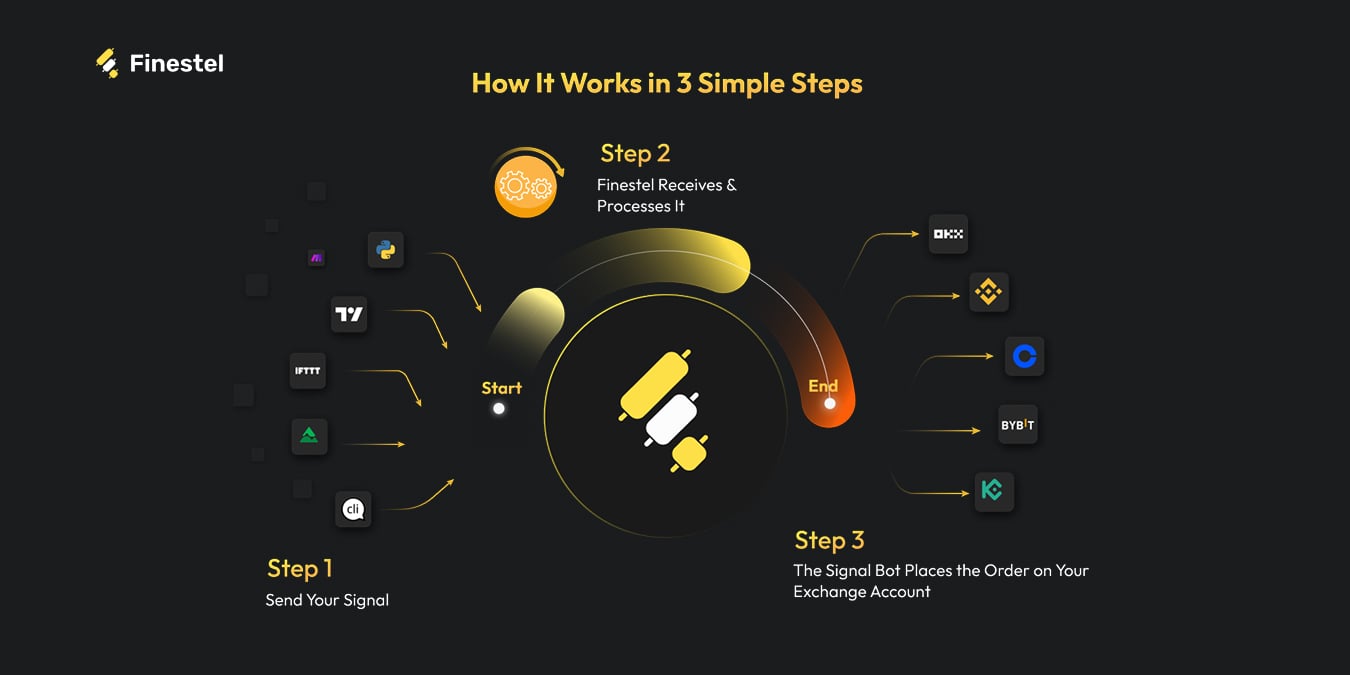
The cleaner approach is automation. Once your Pine Script strategy is ready, you can set it up to fire TradingView alerts whenever entry or exit conditions are met. Those alerts get sent via webhook to a bot, which places the order on your exchange automatically.
For the TradingView to crypto exchange pipeline specifically, Finestel’s TradingView Bot is built exactly for this. You connect your TradingView alerts to your exchange account, which can be on Binance, Bybit, OKX, KuCoin, Kraken, and other top exchanges. The bot then handles execution from there. It supports multiple trading pairs, customizable entry, exit, stop-loss, and take-profit settings, and a risk allocation cap so you’re not overexposing your account on any single trade. We offer a free trial if you want to test it with your strategy before committing.
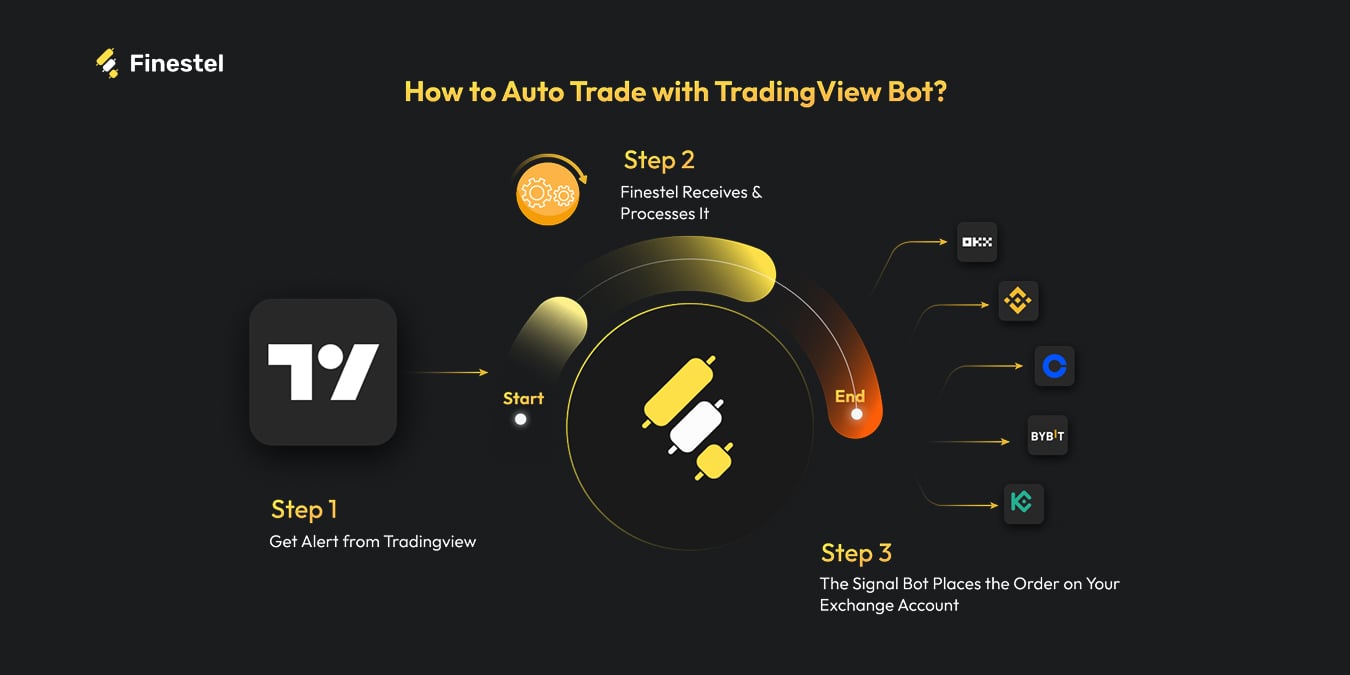
If your setup is more complex, say you’re combining Pine Script alerts with Python scripts, Telegram signals, or other sources, Finestel’s Signal Bot is for you, as it handles multi-source automation in one place. It also adds features like multi-stage exits, DualEdge long/short mode, and breakeven stop loss if you need more control over execution. I suggest checking out both and giving them a try for free.
You can also execute these orders on multiple exchange accounts at once if you’re an asset manager or you simply trade on multiple personal accounts. With Finestel’s copy trading software, you can effectively launch and scale your crypto asset management business, starting from a simple indicator turned into a strategy.
Conclusion
Converting an indicator to a strategy is one of the most practical things you can do as a trader. It takes something you’re already using and turns it into something you can actually test, and if the numbers check out, automate. Whether you go through the Pine Script route, use AI to handle the code, or work in MT4, the process is much easier than most traders assume.
If you’re just getting started, I’d recommend using the EMA crossover example in this article as your first test run. Get comfortable with how the Strategy Tester works, then apply the same process to your own indicators. And once you’ve got a strategy you trust, don’t leave it running manually. That’s where the edge gets lost.




Leave a Reply