

Most exchange interfaces, whether it’s Binance or Bybit, are pretty limited when it comes to professional execution. I mean, they work fine for basic orders, but running algorithms and managing multiple pairs at once is a whole different ball game. That’s what led me to write this MoonTrader review, which is a crypto trading terminal that claims to be the ultra-fast solution serious manual and algorithmic traders need.
As always, I refused to believe the claim blindly, and I wanted to see whether it actually delivers on that promise, or if it’s just another overhyped crypto tool that there’s no shortage of these days. So, I’ll break down what the platform actually does, walk you through its key features and pricing, give you my honest take, and compare the popular MoonTrader alternatives.
What Is MoonTrader?
So, I’ll start this MoonTrader review by giving you a general view. It is a desktop high-frequency (HFT) trading terminal for crypto, built by MTSS Development OU. The company is registered in Estonia and has been operating since 2017.
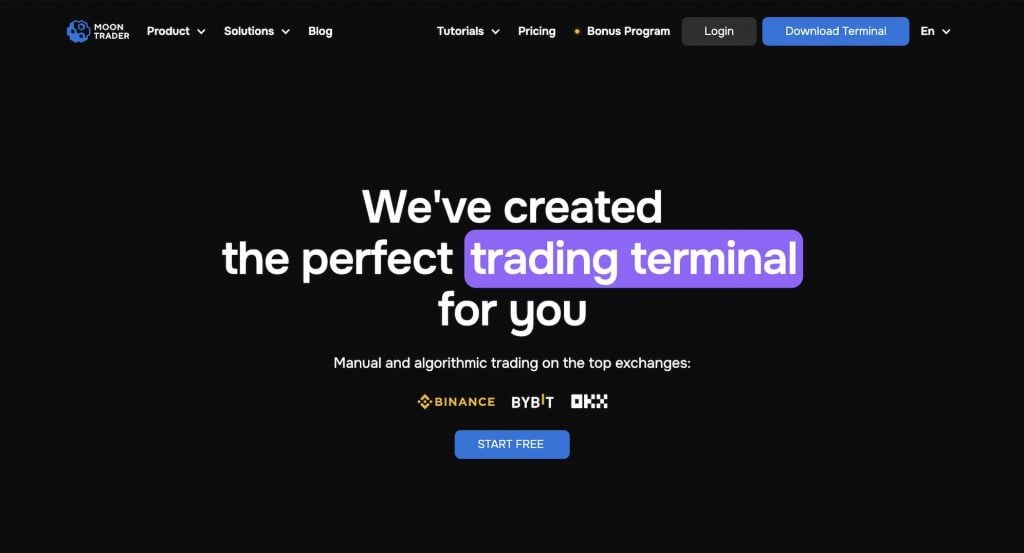
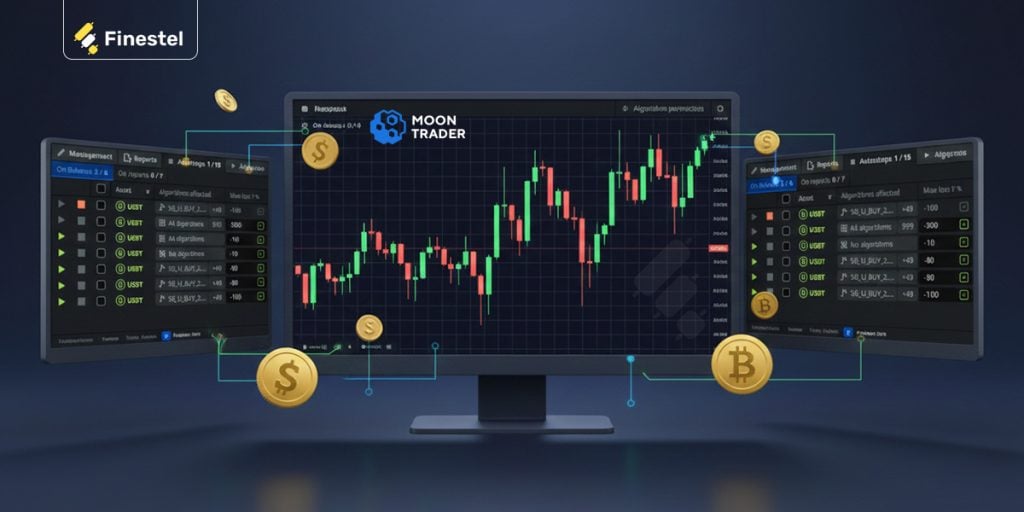
MoonTrader is not a web app. It’s actually a native desktop application that you download and install on Windows, macOS, or Linux. The platform combines manual and algorithmic trading in one place. You can place orders by hand or run no-code algorithms. You can also do both at the same time.
The architecture is also quite different from tools like Bitsgap or 3Commas. You can install it on a dedicated VPS server located near the exchange servers. This can give you minimal data delay, which is super important for HFT strategies, and is not something you’ll find with browser-based platforms.
As of now, MoonTrader has 4,600+ active traders and processes over $3B in monthly volume. Those are quite the numbers, while being less known than many alternatives.
MoonTrader Products and Solutions
Moving on to the next section of this MoonTrader review, it’s time to dive a bit deeper into its features. Manual and algorithmic trading are the two main products of MoonTrader. But there’s a twist; they package these two products depending on your experience and use case. The brackets include beginner, experienced trader, or prop firm. But first, let’s begin with the two core products.
Manual Trading
The MoonTrader manual trading product is still built for fast executions and scalping. I mean, the whole terminal is actually for short-term trades, and you can tell that pretty much immediately from the toolset. So, I wouldn’t go with MoonTrader for swing trading or any longer-term position taking.
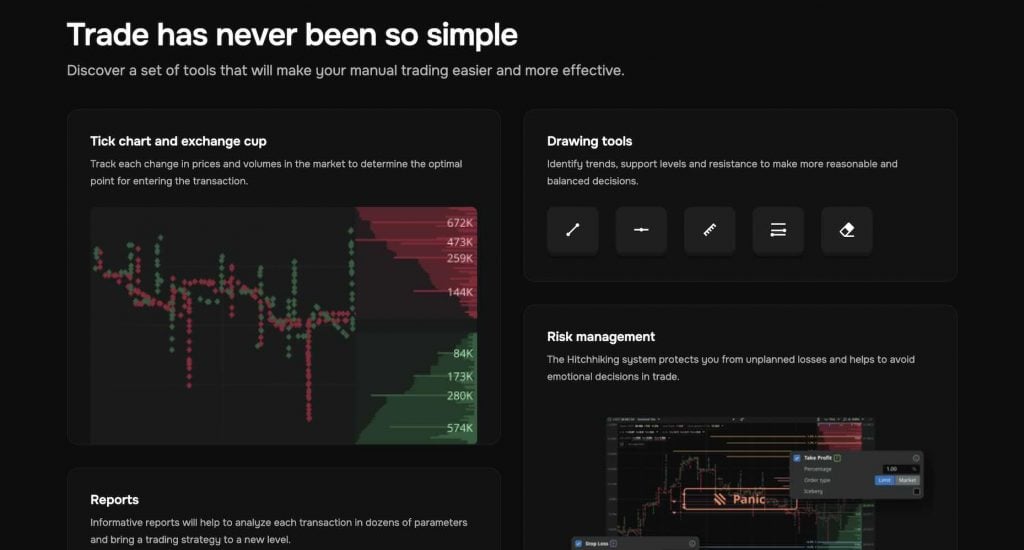
The executions are hotkey-driven for speed, one-click order entry, and the ability to trade directly from the order book or chart. There’s a tick chart alongside full market depth visualization. You track every price and volume change in real time.
For order management, MoonTrader has smart stop-losses and take-profits. There’s a trailing SL, a second SL, and an adaptive take-profit that moves closer to the market price under conditions you define. That last one I found particularly interesting and unique, because it helps you lock in profit automatically even if the price never reaches your original TP level. You also get automated grid orders and a Marketwatcher tool that sends Telegram alerts for signal execution.
One last feature I’d like to discuss and actually think is underrated is the MoonTrader reports tab. It lets you analyze each trade across dozens of parameters. That’s how I usually refine a scalping strategy over time. And you can run manual trading alongside algorithms simultaneously. So, you’re not locked into one mode or the other.
Algorithmic Trading
Here’s where MoonTrader gets interesting for algo traders. You don’t need to write any code. There are pre-built algorithm templates that you customize with dozens of parameters.
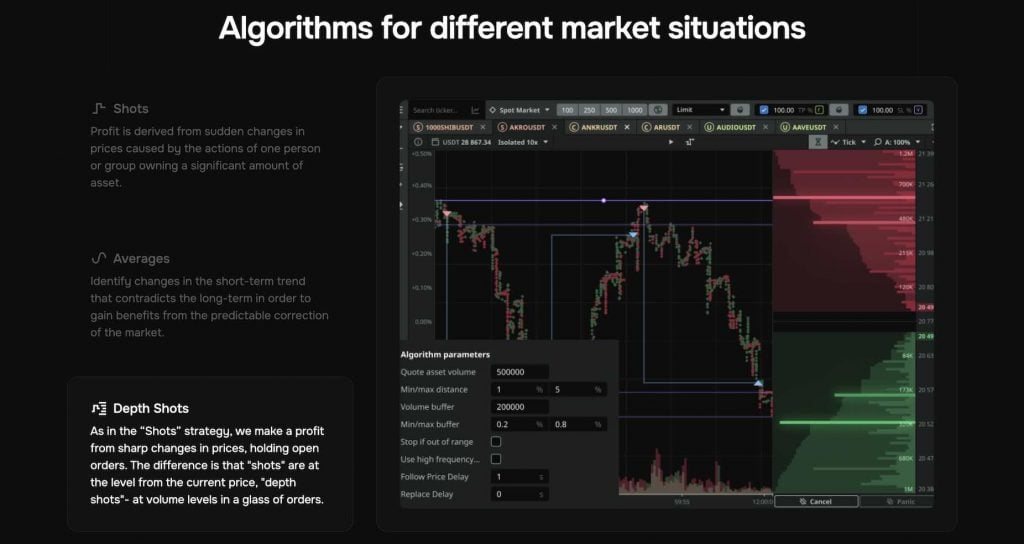
Algorithms on MoonTrader include 3 different types:
- Shots capture profit from sudden price spikes. This is a suitable algorithm for whales or large market participants moving the market.
- Averages detect when a short-term trend diverges from the long-term one, then trade the correction.
- Depth Shots work similarly to Shots, but instead of triggering at a set distance from the current price, they trigger at volume levels inside the order book.
On top of these three, the MoonTrader platform has a total of 7 trading algorithms, 2 monitoring algorithms, and 1 core monitoring algorithm that tracks system processes. There’s also a Telegram bot I mentioned earlier. It sends automated notifications about results and lets you manage trades directly from chat.
Performance filters also add another layer of control. You can set rules to automatically stop or restart algorithms based on their P&L performance. And, if you install MoonTrader on a remote VPS (which they actively encourage), the algorithms run 24/7 with minimal delay.
But Moontrader has an important limitation, and it’s that users are restricted to the platform’s own built-in templates. There’s no TradingView integration and no way to automate external signals. Finestel’s TradingView bot, for example, lets you automate any TradingView strategy via webhooks, and its signal bot handles signals from multiple sources.
On top of that, Finestel’s trading terminal offers bulk order execution, multi-account management, and copy trading, so you’re looking at a much broader automation toolkit overall.
Who Is Each Solution For?
As I’ve mentioned, MoonTrader also markets itself through three audience-specific solution pages. But I should clarify, these are not separate products. They just frame the different features of the same terminal to highlight the capabilities most relevant to each group.
MoonTrader for Beginners
Beginners get access to a paper trading mode. It even works with zero balance, step-by-step guides and documentation, and Telegram community support. The Bonus Program also lets the newbies start with the Pro version for free.
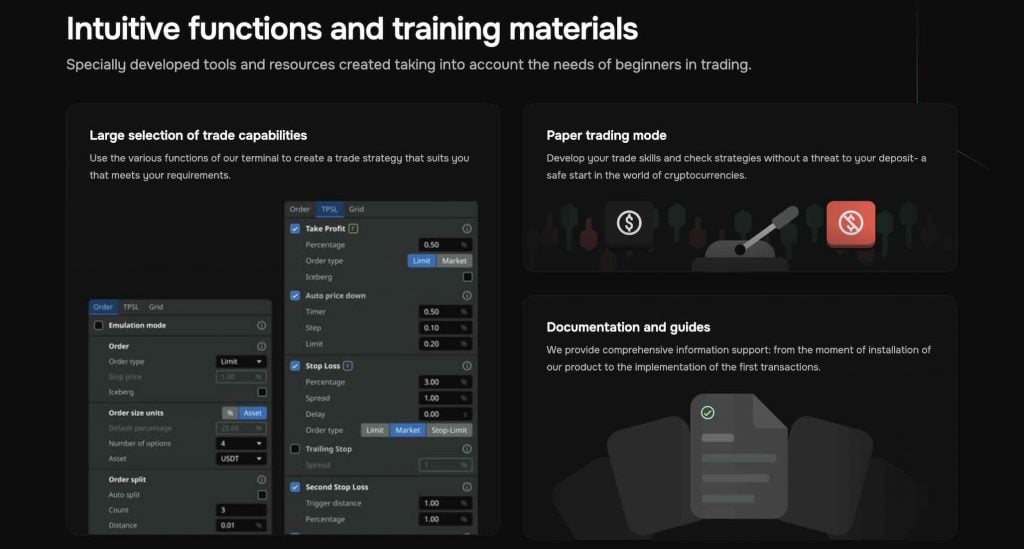
MoonTrader also notes that installing the terminal on a VPS reduces the load on your local PC. Of course, it’s a small point, but quite practical if you’re using a less powerful machine.
MoonTrader for the Experienced
Experienced traders get the full depth of the MoonTrader high-frequency (HFT) trading terminal. There are complete interface customization (profiles, hotkeys, presets, layout adjustments), AES-256 encrypted API key storage held locally on your machine, and the ability to deploy on a VPS near exchange servers for 10–30 millisecond execution delays.
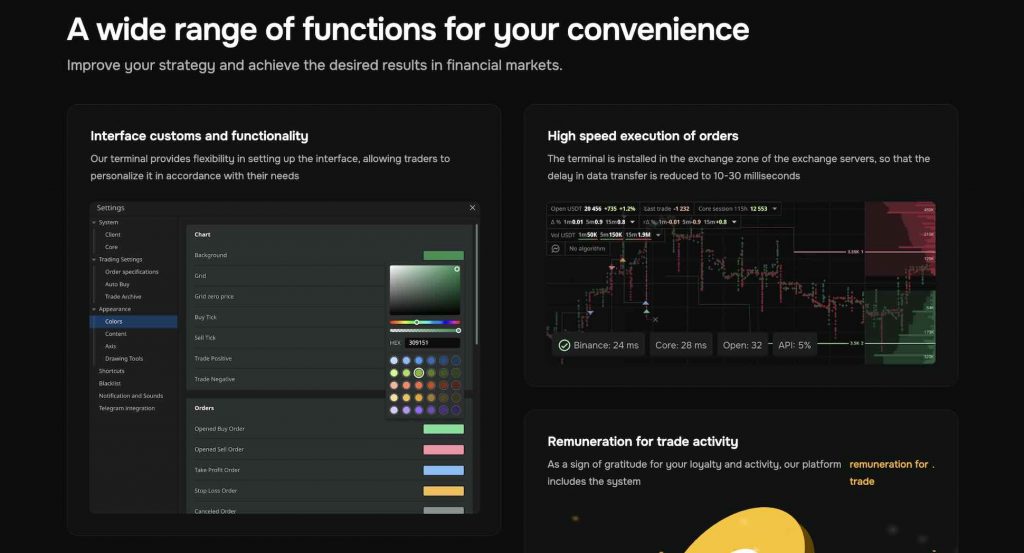
You also get expanded risk management and rewards for trading activity. That’s done through their Bonus Program.
MoonTrader for Prop Firms
Finally, as a Prop trading firm, you’ll get a platform that can handle 1,500+ trading pairs across 10+ markets simultaneously. Different tools are available for team management and results analysis.
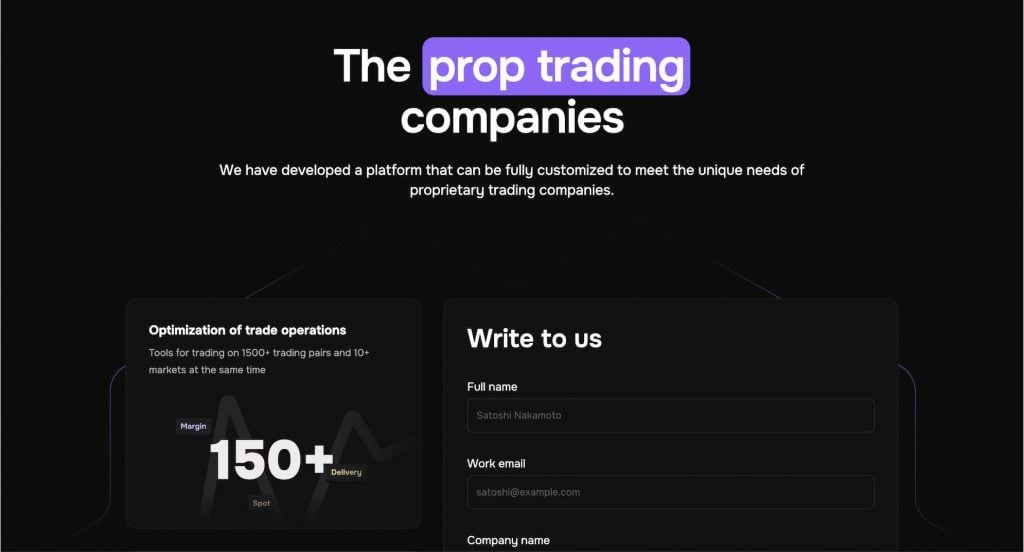
Risk control also uses an adjustable auto-stop system, and the whole platform can be fully configured to a firm’s specific needs. If you want to get a demo as a prop firm, you fill out a form, and their team works with you directly.
MoonTrader Pricing
This should be the section that traders look for the most on this MoonTrader pricing. And I get it. Both individuals and trading teams should manage their costs carefully. So, let’s talk about the MoonTrader pricing structure. Here’s an overview of the paid plans:
|
Plan |
Price |
Simultaneous Orders |
Max Order Size |
Total Order Amount |
|
Free |
$0 / month |
2 |
$20 |
$300 |
|
Basic |
$20 / month |
10 |
$200 |
$10,000 |
|
Regular |
$50 / month |
100 |
$1,000 |
$200,000 |
|
Pro |
$100 / month |
Unlimited |
Unlimited |
Unlimited |
The free plan is obviously very limited. A $300 total order amount and only 2 simultaneous orders mean you can barely do anything with it beyond testing the interface.
The Basic plan at $20/month also caps you at $10,000 total. You should know that it isn’t much if you’re actively trading. So realistically, if you’re a serious trader, you’re either paying $100/month for Pro, or you’re going the referral route.
MoonTrader Bonus Program
The MoonTrader referral route is what the platform actually wants you to do. It’s called the MoonTrader Bonus Program. The process begins with you registering on Binance, Bybit, or OKX through MoonTrader’s referral link. In return, you get a free unlimited Pro license. On top of that, you get up to 30% off exchange trading fees.
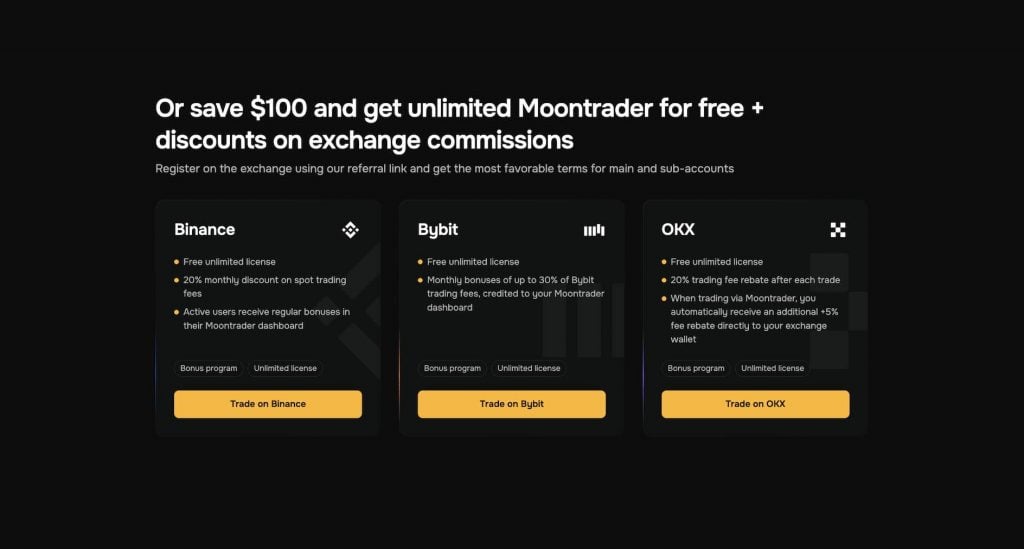
Now, to be honest, the Bonus Program is the real pricing play here, and it’s quite a smart revenue model they’re trying to build. MoonTrader earns referral commissions from the exchanges, and in exchange (no pun intended), you get the full terminal for free.
But the problem for traders like me is that it means you need to create a new exchange account through their link to qualify. So, if you’re already set up on Binance or Bybit with an existing account, you can’t access these benefits.
MoonTrader Reviews and Feedback
You should always check what actual users are saying on Reddit and Trustpilot about a platform. Unfortunately, there aren’t many MoonTrader reviews online. That usually points to a limited audience and bad marketing (sorry, MoonTrader).
A dedicated MoonTrader TrustPilot review page is not available. So don’t confuse it with “Moontrade” or “TradingMoon,” which are completely different services. On Reddit, the discussion is also minimal. The MoonTrader community lives almost entirely on Telegram, which is active but not the kind of public. But I also mention that Scamadviser rates moontrader.com as legit with a positive trust score, so there are no shady business or red flags on that front. That’s why I think it’s a marketing issue.
But from the limited MoonTrader reviews and feedback that I found, the general feeling is that users appreciate the depth of the algorithmic trading tools and the execution speed. But the platform also has a noticeable learning curve, especially if you’re coming from simpler web-based tools.
MoonTrader Pros and Cons
I always think a clean pros and cons breakdown is the fastest way to get a feel for any tool. So here’s a brief that includes all the important advantages and disadvantages we’ve discussed in this MoonTrader review, and more, starting with the pros:
- Desktop-native terminal, which means faster execution than browser-based platforms
- You can install it on a VPS near exchange servers for true low-latency trading (10–30ms delays)
- No-code algorithmic trading with deep parameter customization, not just basic “set and forget” bots
- Free Pro access through the Bonus Program if you register on exchanges via their referral links
- AES-256 encryption with API-only connection, your keys stay local, and the MoonTrader team can’t access your funds
- Cross-platform support: Windows, macOS, and Linux

And here are MoonTrader’s drawbacks:
- No mobile app, which means you’re limited to the desktop terminal
- No TradingView integration, which is a big gap considering most competitors offer it
- No copy trading or social trading features at all
- No backtesting, and you can only forward-test strategies through the paper trading emulator
- Limited exchange support: just Binance, Bybit, OKX, and Hyperliquid
- Small user base (4,600+ traders) with very few community reviews on Reddit or Trustpilot
- Not a regulated entity
Don’t get me wrong. The cons don’t make MoonTrader a bad tool, but they do narrow the audience. That’s why we need to discuss some alternatives to wrap up this MoonTrader review.
MoonTrader Alternatives
So, before you decide on MoonTrader, it’s worth seeing how it stacks up against some of the most popular competitors in the crypto trading space. Here’s a quick comparison:
|
Feature |
MoonTrader |
||||
|
Platform type |
Desktop app |
Web-based |
Web-based |
Web-based |
Web-based |
|
Algo trading |
Yes |
Yes (TradingView bot, Signal bot) |
Yes (Grid, DCA) |
Yes (DCA, Grid, Signal) |
Yes (TradingView signals) |
|
Copy trading |
No |
Yes (proportional, with white label) |
Yes |
Yes (marketplace) |
Yes |
|
TradingView integration |
No |
Yes (webhook-based bot) |
Yes |
Yes |
Yes (deep) |
|
Trading terminal |
Desktop only |
Web (multi-account, multi-exchange) |
Web |
Web |
Web |
|
White label solution |
No |
Yes (full white label with CRM, billing, branding) |
No |
No |
No |
|
Mobile access |
No |
Yes (web) |
Yes (web) |
Yes |
Yes (web) |
|
VPS / low-latency setup |
Yes |
No (cloud-based infrastructure) |
No |
No |
No |
|
Best for |
HFT / scalpers / algo traders |
Asset managers, professional traders, trading businesses |
All-in-one crypto traders |
Bot marketplace users |
TradingView signal traders |
- MoonTrader vs. Bitsgap: Bitsgap is web-based with backtesting, more exchange support, and grid/DCA bots built in. MoonTrader wins on raw execution speed and VPS deployment, though.
- MoonTrader vs. 3Commas: 3Commas has a bot marketplace, copy trading, and mobile support, which makes it more accessible for beginners and passive traders.
- MoonTrader vs. WunderTrading: WunderTrading’s deep TradingView integration is a major advantage if your strategies are signal-based. MoonTrader doesn’t connect to TradingView at all.
Finestel: The MoonTrader Alternative for Pros
Now, this is where the comparison gets interesting, because at first glance, MoonTrader and Finestel might seem like completely different tiers of tools. But they do overlap on one key area: the trading terminal.
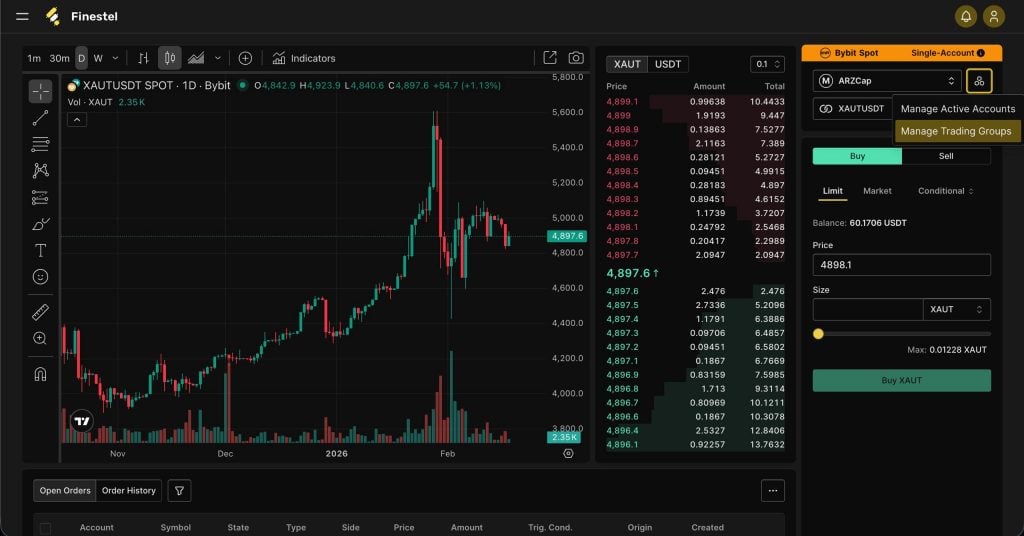
As mentioned earlier in this MoonTrader review, Finestel’s trading terminal lets you execute trades across multiple exchanges and multiple accounts from a single web dashboard. There’s bulk order execution across unlimited accounts in one click. It also integrates TradingView charting with 100+ indicators, and you can manage spot and futures accounts on Binance, Bybit, OKX, KuCoin, Bitget, Kraken, Gate, and more.
And where Finestel really separates itself is everything built around the terminal. You get proportional copy trading that handles hundreds of orders in under a second, automated billing, CRM, portfolio tracking, and a full white-label solution to launch your own branded platform. MoonTrader doesn’t offer any of that.
So if you’re managing clients, running a trading business, or you just want a web-based terminal with TradingView and broader exchange support, Finestel covers a lot more ground.
Conclusion
MoonTrader is a niche but capable desktop terminal for crypto traders who prioritize speed, algorithmic control, and low-latency execution. If you’re a scalper or algo trader running strategies on a VPS and you don’t need TradingView, copy trading, or mobile access, it does its job well.
That said, if you’ve read this MoonTrader review carefully, the limited exchange support, lack of third-party reviews, and missing features like backtesting and copy trading make it hard to recommend as an all-around platform. So, if you need broader functionality, like multi-account management, TradingView automation, or client-facing tools, I’d suggest looking into Finestel as a more complete alternative.



Leave a Reply