


Many crypto trading bots and trading solutions promise hands-free profits, but the reality is messier. Crypto markets move really fast, and one bad setting can turn a good idea into a bad trade and cost you money. That’s why in this Moon Bot review, I focus on what Moon Bot actually does in practice as a Windows trading terminal built for speed, scanning, and tighter execution, and not a magic money machine.
In this blog post, you’ll see what Moonbot trading features matter, how pricing and add-ons work, what to check for safety when connecting API keys, and how Moonbot stacks up against alternatives. So, you’ll be able to decide whether using this platform is optimal for you and if it satisfies what you expect from a crypto trading terminal.
What Is Moon Bot?
MoonBot’s official website states that it’s an advanced crypto trading terminal that you can use for both manual and automated trading. Their core pitch is speed and control. There’s tick-chart trading, fast manual scalping, and the ability to move orders (including TP and SL) directly on the chart. These are all the things you expect from a decent crypto trading terminal.
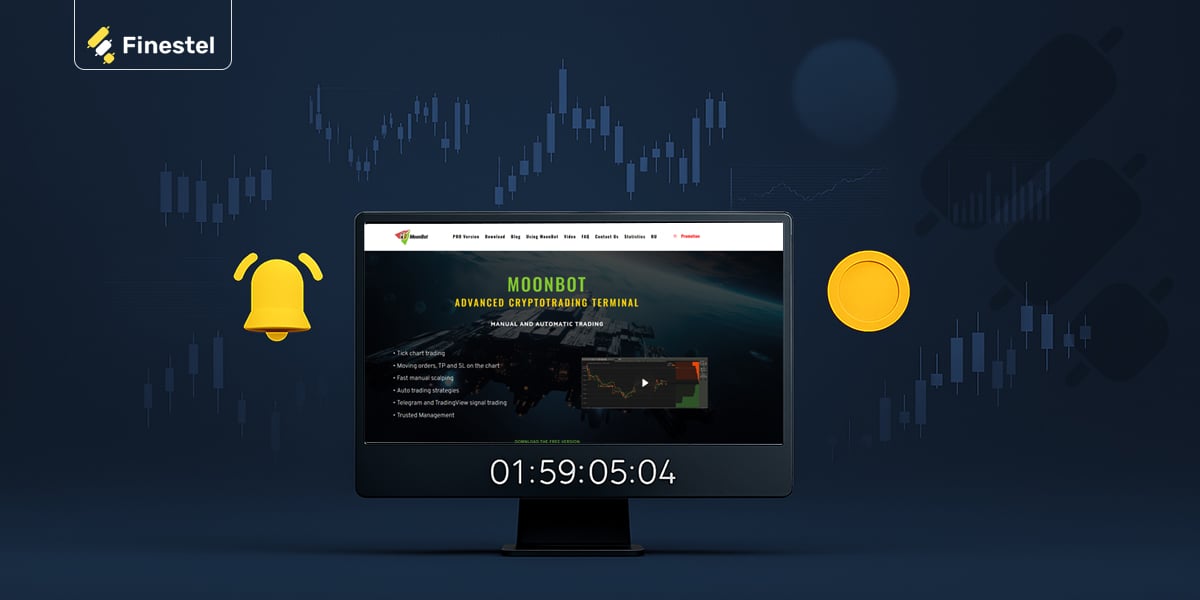
On top of that, there are automation layers like pre-built strategies and the option to trade Telegram and TradingView signals automatically. So, the bot considers the rules and executes for you.
Another important note I considered when writing this Moon Bot review is safety and reliability. MoonBot claims your data is stored locally (PC/server) and it’s encrypted. No one but you can access this critical information.
They also emphasize their terminal’s performance and stability. There’s instant order execution when you click or when strategy conditions trigger. It can monitor up to 40 pairs at once. Monthly updates are also released, but only after internal testing. So, it actually seems like a reliable platform, with consistent growth and optimization by its developers.
Key Features of MoonBot
Now, I’ll continue this Moon Bot review by analyzing its key features. It’s basically a speed-focused trading terminal, and you also get a chart and orderbook workspace with fast order control. Layers of filters are also available, so you can watch many markets at once. Here are the key features in more detail.

Trading Terminal Basics
At its core, the MoonBot trading terminal gives you quick order placement and order management that can be done right on the chart. So, you can set and move orders, including TPand SL, visually.
Now, I’ve been a scalper and day trader for over 5 years, and I can say it’s designed well if you want fast manual scalping. The workflow is also quite clean with the chart and orderbook in one place. Watchlists and market filters (white/blacklists and coin selection filters) are also available, and you can focus on the pairs you actually trade and ignore the rest.
Market Scanning and Detections
The “detections” are MoonBot’s way of alerting you to market activity. It’s quite similar to TradingView alerts. Rapid price or volume expansions, sharp drops to a defined depth, or unusual orderbook behavior all trigger alerts that will notify you right on time.
This is important and very useful because you can hunt opportunities without manually scanning every crypto pair and their dynamics. Some practical examples of use cases I can think of are catching breakout momentum when volume spikes, looking for reversal setups after a fast dump, or even spotting liquidity-driven moves when orderbook anomalies appear around key levels.
Automation options
As I’ve already mentioned earlier in this Moon Bot review, the platform mainly revolves around manual trading, but there’s also optional automation. So, you can also classify it among crypto automated trading platforms.
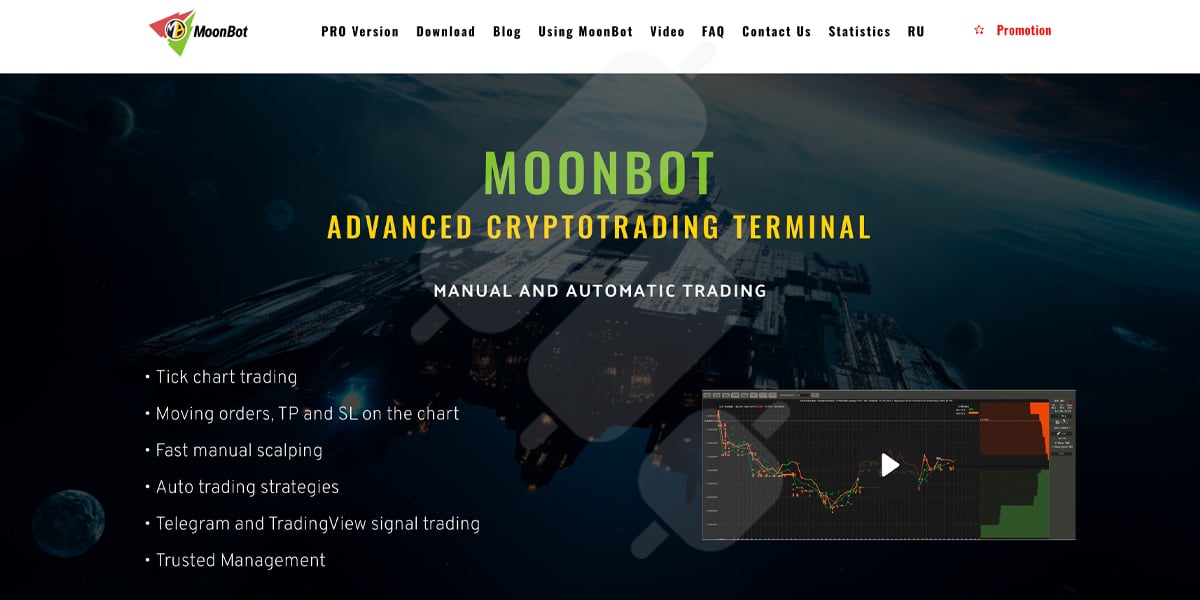
Moon Bot allows you to run auto-trading strategies, and it also promotes automated execution from TradingView and Telegram signals. That means MoonBot can take signals from TradingView alerts or Telegram messages and, if the signal matches your personal preset rules, like asset, direction, sizing, TP/SL, etc., it automatically turns that into an order on your connected exchange via API.
In practice, you should configure the parsing and risk settings once, and then MoonBot listens for incoming alerts or messages and executes instantly when these conditions are met.
Supported exchanges
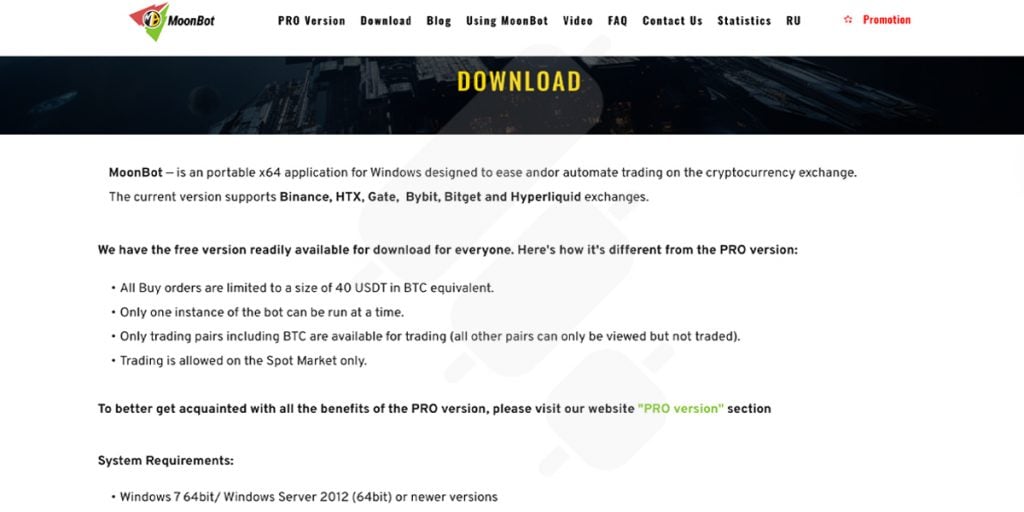
For people wondering about Moon Bot Binance connections, I should state that Binance is supported by Moon Bot, but it’s not the only exchange available. The platform also lists support for HTX, Gate, Bybit, Bitget, and Hyperliquid.
MoonScalper (Add-On)
MoonScalper is an add-on for the pro manual traders. It makes the chart and orderbook feel more detailed and information-dense.
It adds real-time full-screen chart updates, orderbook refreshes 2 times per second, plus tools like vertical/horizontal volumes (market profile), drawing/measurement tools, and easier multi-order management on a single coin.
That’s basically an extra edge for scalping and orderflow-style trading, if you’re into it. You can use this add-on only in the PRO version.
Binance Futures (Add-On)
The MoonBot Binance Futures module lets you trade Binance perpetual futures (and BTCUSD quarterlies) from MoonBot with leverage from x1 up to x125. For this add-on, you should activate the PRO version once again.
MoonBot Setup and Safety
Any trading tool you use only becomes safe enough when you set it up correctly. MoonBot is also not like a random crypto portfolio tracker app that you casually connect to your exchange. In this section of our Moon Bot review, I’ll cover the basics of installation, connecting, and securing your account before you place any real orders.
Installing and Connecting
You can start by installing/running MoonBot on your PC (or server if that’s your workflow) after downloading it from the official MoonBot website. Then you should connect your exchange via API keys. If you don’t know how this works, we have a comprehensive guide on API trading you can check out.
Now, remember to use enable trade permissions only, which means the MoonBot connection can only set and execute orders on your account. Never enable withdrawal permissions for any third-party tool.
Also, if your exchange supports it, restrict the key to specific IP addresses and a dedicated sub-account that is only for bot or terminal activity. Once you’ve connected your account to Moon Bot, test order placement with the smallest possible size to see if everything behaves as you expect.
Risk Controls to Configure First
Before you trade on the Moonbot trading terminal, set hard limits that prevent one bad session from blowing up your whole account. What I mean by setting hard limits is to determine maximum position sizes, maximum number of open trades, and a daily loss cap, so it stops trading after you hit the loss threshold for the day.
Also, if you’re using any automation like algorithmic strategies, TradingView alerts, or Telegram signals. You can, and I suggest you also add cooldown rules so the bot can’t spam entries during choppy market consolidations. And finally, if you’re trading derivatives, treat leverage like a separate setting that needs its own strict rules. Because using high leverage and automation together is usually a recipe for disaster.
MoonBot Pricing and Plans
Moon Bot’s price structure is basically Free vs PRO, with extra modules you can add on top once the MoonBot PRO version is active. The free tier is mainly for learning the interface and testing workflows, and is the one I always recommend you start on with any new platform to mitigate additional risk.
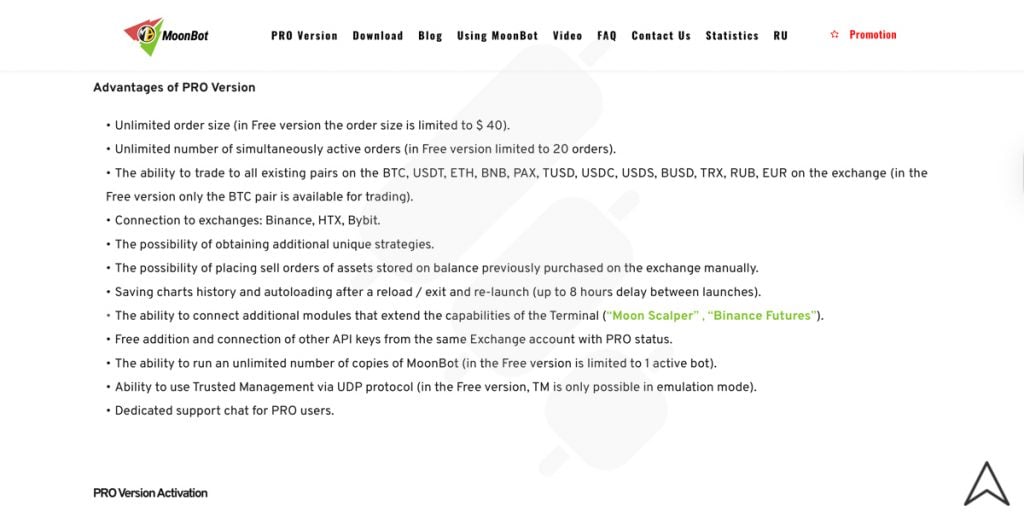
Meanwhile, the PRO version removes the practical limits and unlocks more exchanges, pairs, instances, and pro-only features. This version is activated and paid for in the app.
Here’s a detailed comparison of the two versions:
|
Feature |
Free Version |
PRO Version |
|
Max order size |
Limited to $40 |
Unlimited |
|
Simultaneously active orders |
Limited to 20 |
Unlimited |
|
Tradable pairs |
Trading only on the BTC pair |
Trade across many quote assets (BTC, USDT, ETH, BNB, PAX, TUSD, USDC, USDS, BUSD, TRX, RUB, EUR, etc.) |
|
Bot instances |
1 active bot |
Unlimited copies |
|
Extra strategies |
– |
Access to additional unique strategies |
|
Sell orders for the existing spot balance |
– |
Can manually place sell orders for assets already held on the exchange balance |
|
Chart history |
– |
Saves chart history + auto-loads after relaunch (up to 8 hours between launches) |
|
Add-on modules |
– |
Can add modules like MoonScalper and Binance Futures |
|
Multiple API keys (same exchange account) |
– |
Add/connect additional API keys for free with PRO status |
|
Trusted Management (TM) |
TM only in emulation mode |
TM via UDP protocol |
|
Support |
Standard channels |
Dedicated support chat for PRO users |
Moreover, consider these points:
- Activation flow: PRO is activated inside the app (Unlock tab) after you connect API keys and accept the End User Agreement. You can apply discount codes there, too.
- Modules require PRO: MoonScalper and Binance Futures can only be activated if PRO is active.
- Trials: MoonScalper trial is 3 days on Free and 7 days on PRO. Binance Futures trial is 7 days (PRO only) and limits “real” order size to $30 (leverage can magnify exposure).
Moon Bot Reviews by Real Users
Some Moon Bot Reddit reviews clearly indicate that the Moon Bot trading terminal is pretty old and revolves around scalping, flash signals, or even pump-style trading rather than long-term system trading.

Moreover, I couldn’t find a Moon Bot review page on Trustpilot, which shows the user base might not be so active. Therefore, I suggest you test the platform yourself for a decent amount of time and with minimal exposure before allocating more capital.
Moon Bot Alternatives
Now, if you’ve read this Moon Bot review and are not satisfied with what the platform offers, or you’re looking for better alternatives, this part is for you. Moon Bot is best seen as a speed-first desktop terminal for active traders who want manual execution and optional automation. But if you want something more professional and scalable, you’ll usually look at more advanced trading solution providers like Finestel or bot suites like Pionex or 3Commas instead.
|
Platform |
Best for |
What it is |
Strengths |
Trade-offs |
|
Moon Bot |
Manual scalping + active monitoring |
Windows trading terminal + add-on modules |
Tick-style workflow, fast chart/orderbook execution, and detections |
More “hands-on”; add-ons/credits ecosystem; not a full client/copy-trading stack |
|
Finestel |
Asset managers, signal providers, teams |
Multi-exchange asset management + copy trading platform |
Copy trading, TradingView/signal bots, portfolio tools, client onboarding and billing, white-label solution |
Less “scalper terminal” feel; built for managing accounts/business operations, Bulk order execution and bulk actions |
|
Pionex |
Beginners + grid/DCA automation |
Exchange with built-in bots |
Simple setup, built-in grid/DCA style bots |
Less customization/control than dedicated terminals; tied to the Pionex ecosystem |
|
3Commas |
Retail automation + bot management |
Bot platform + smart trading tools |
Popular bot suite, strategy management, web-based |
Subscription complexity; execution depends on exchange/API + settings |
Where Finestel Can Be an Alternative
Finestel is a stronger fit when you are trying to run trading like a system, or a real business. Finestel focuses on providing an all in one software for all masters and asset managers needs, such as; multi-exchange account management, trading terminal, and automation layers like copy trading, TradingView bots and signal bots.

It also provides a white-label solution for teams or managers who want to manage crypto assets professionally. Finestel’s trading terminal is also available to cover what you’d want to do with tools like Moon Bot, and it goes even further with professional-grade capabilities that most retail bots simply don’t offer.
One of the standout features is bulk order execution and bulk actions, something that is genuinely rare in the crypto trading space.
So if you’re a individual high volume trader, asset manager, portfolio manager, signal provider, or small trading team that needs to execute across multiple accounts, replicate trades cleanly, and keep client operations organized, Finestel often makes more sense than a pure scalper terminal. Also, Finestel’s products are much more advanced and modern compared to Moon Bot.
Note that Moon Bot can still be great for a discretionary trader who lives on the chart. But Finestel is typically the pick for structured execution and scalability.

Conclusion
Moon Bot is a solid fit if you’re an active trader who wants a fast, chart-first terminal with orderbook context, quick order control, and optional automation through strategies or TradingView and Telegram signals.
But if your goal is less about clicking faster and more about scaling a repeatable system across multiple accounts, Moon Bot may feel too hands-on. That’s where platforms like Finestel can be a better alternative, since they’re built around the business side of running crypto strategies, not just the trading terminal itself.



Leave a Reply